

My organization and its equipment
Assortment, people and applications within the scope provided. The client finds the necessary data and forwards the case to service.
Customer and employee portal
Customer checks his equipment and reports changes. The employee sees assigned equipment and your own bounce history.
Separate views lead to the right things. Scope of data and available actions you match to your organization and user role.
The warehouse operator needs different information than the customer or employee. You share a view tailored to the task.
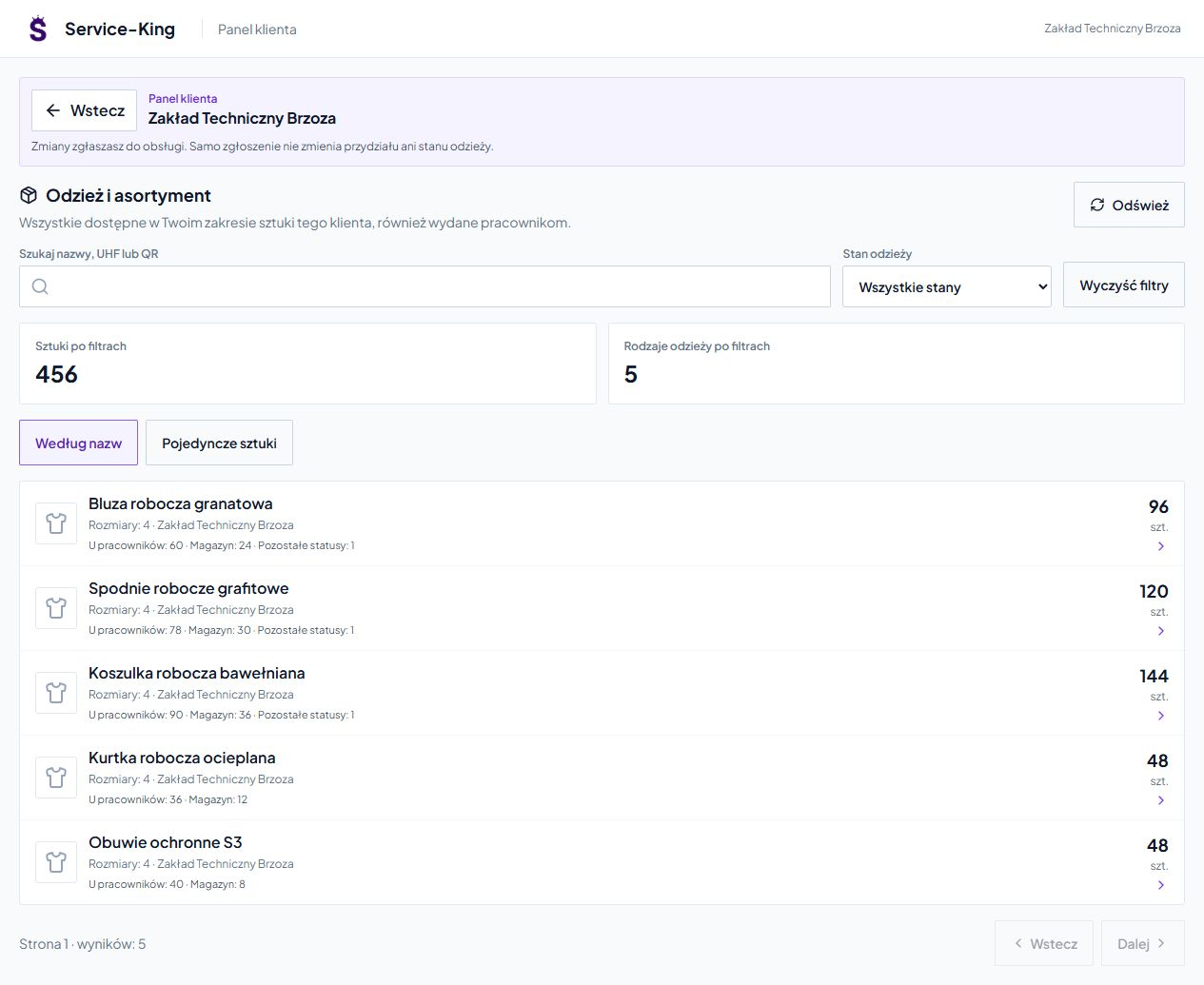
Assortment, people and applications within the scope provided. The client finds the necessary data and forwards the case to service.
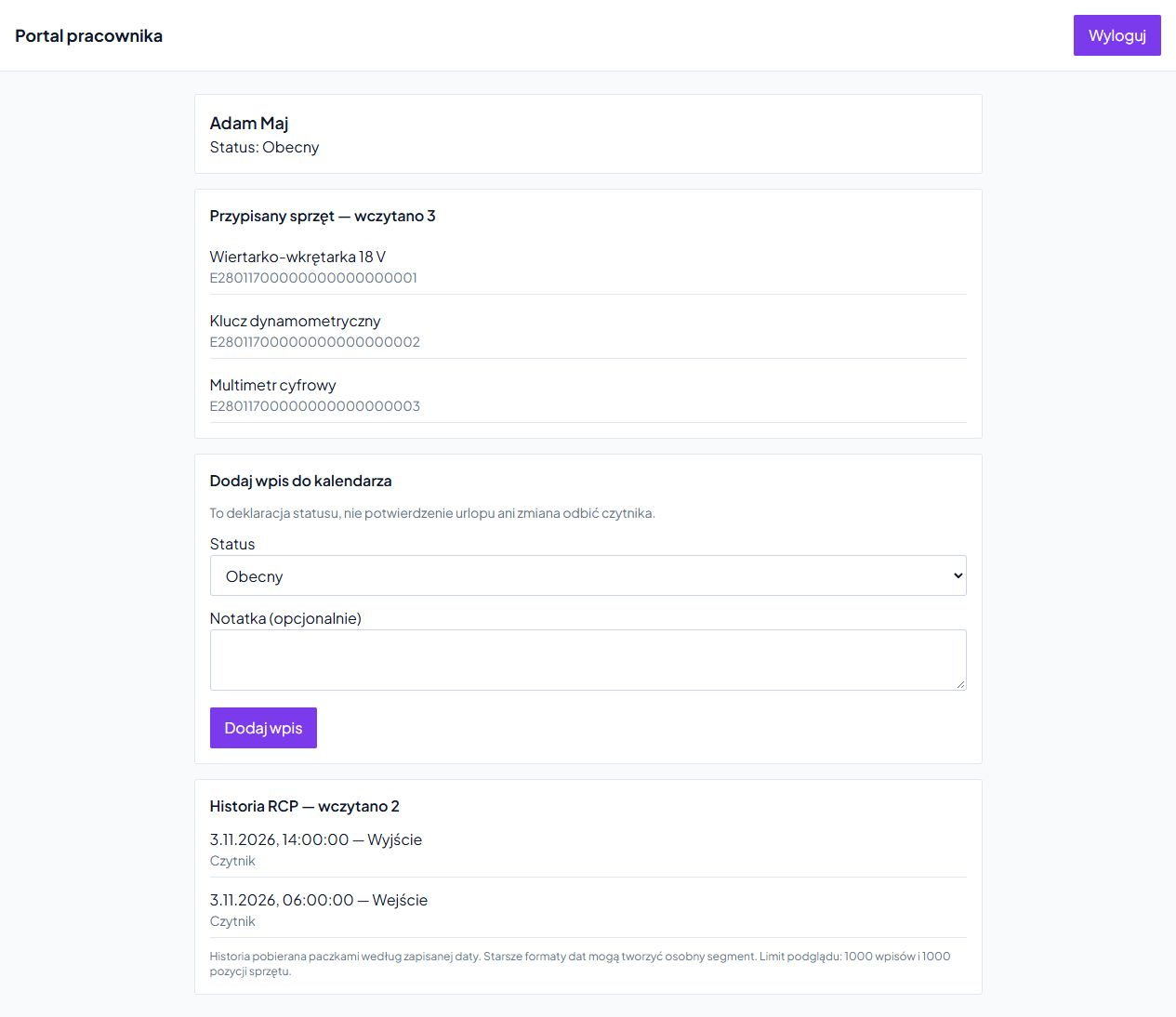
Equipment assigned to a person, his T&A history and status declaration. A simple view of your own information.
On the screen above, 456 pieces have been grouped into five types of products. The customer first sees the quantities and then opens the necessary details.
You see the types of equipment and their quantities. With a larger collection, it's easier to choose what you're looking for.
In the file you check the primary and secondary ID, size, location and connection with the employee.
Search by name, UHF or QR. You filter items in the warehouse, issued, in the laundry, repair or other service stage.
Counters show data from the selected view and filters. You see details when you need them.
The customer provides the data, the staff verifies it
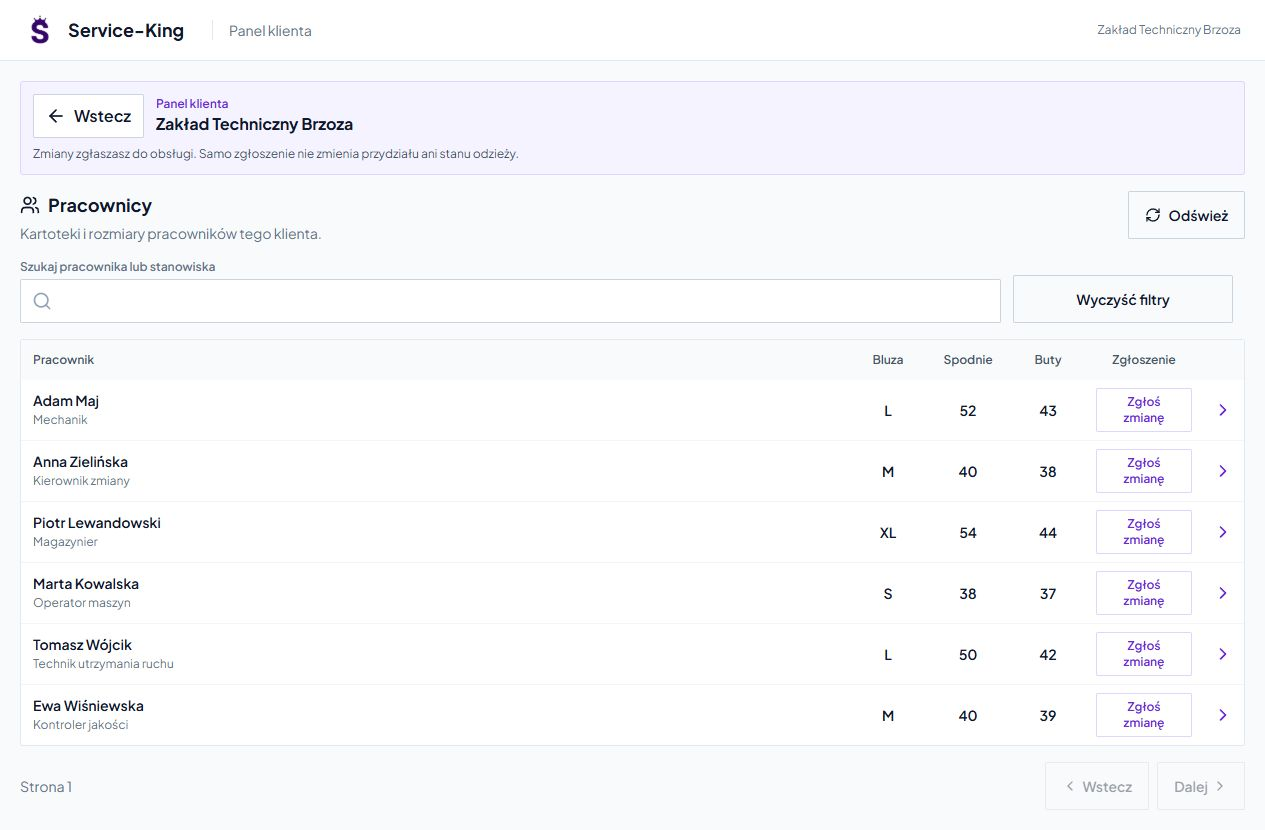
You search for a person and you see name, surname, position and basic sizes. You open her record or report the change immediately.
The form preserves the employee context. In the running workflow, the client transfers new person, change of size, position or assignment.
Authorized staff verifies the data in the Report-King employee tab. Thanks to this, he does not rewrite the entire record.
The employee record and login account are separate things. You perform the issue of equipment in a separate operation.
Report preserves context. The authorized service determines the method of implementation.
Simply submitting an application does not change the inventory or clothing allocation. Equipment movement and need fulfillment have their own record.
In the suborganization panel, he works on a separate scope of his own data. The servicing company goes to the context of the indicated customer.
The administrator determines roles, modules and allowed activities. The client receives the data needed for cooperation, and the service receives access to the assigned organizations.
Screens shown are representative sub-organization panel and separate employee portal. We select the previous profile of an external customer into the appropriate workflow.
Access tailored to a specific person
Employee checks assigned tools or other equipment with identifiers. He knows what's on his record.
Separate part shows dates, times and method of recording T&A events. Older entries are read in successive batches.
Can also add a status declaration and note. The declaration does not overwrite reader reflections and does not validate leave. Provides information in a separate entry.
Real screens show portal features; the illustrations below show examples of devices and things.
Layout adjusts to smaller screen. Summaries by name and short lines make it easier to view more items.
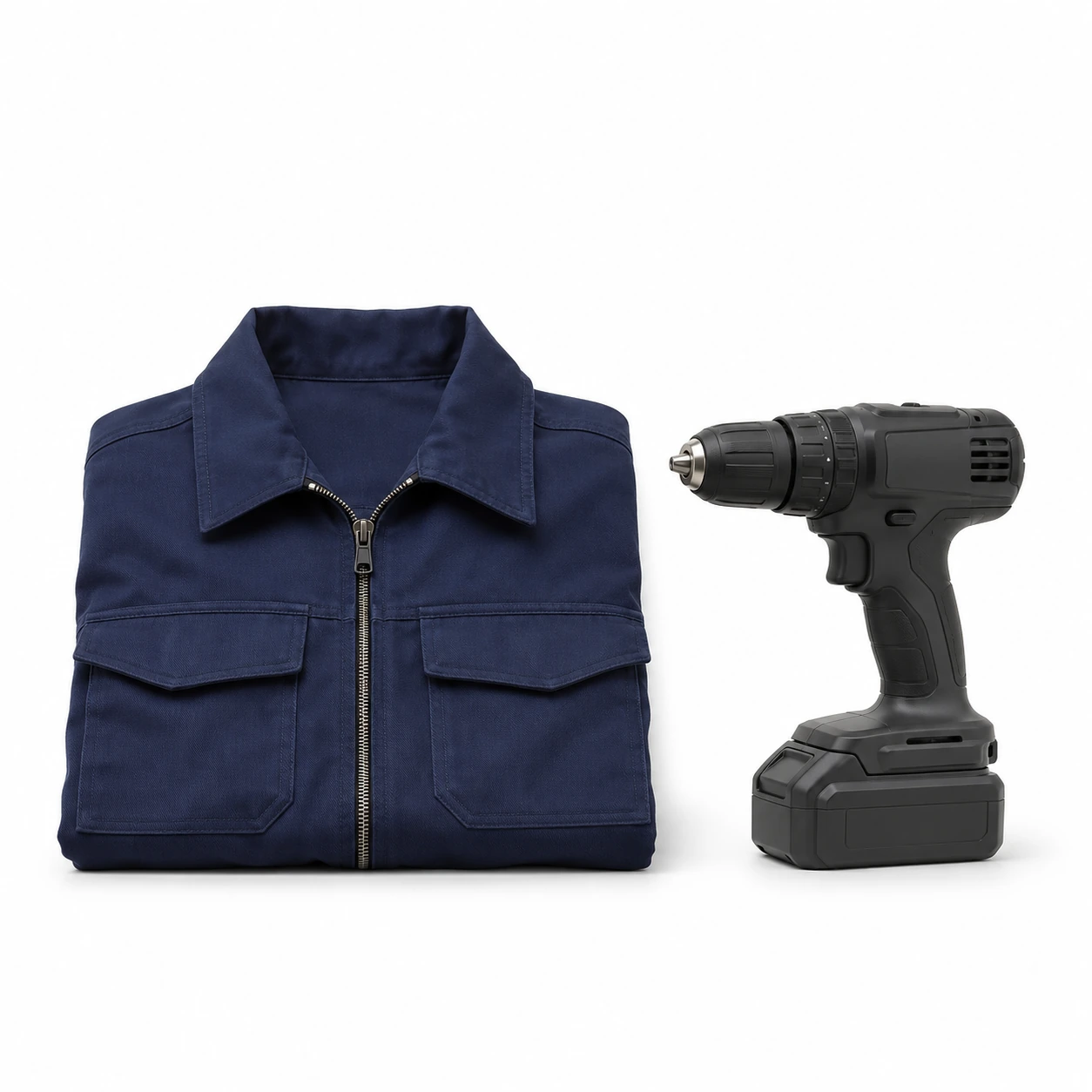
The employee checks the items assigned to his record. The customer tracks the assortment in his own, shared scope.
Illustrations are for illustration purposes only. Available views and actions are determined when configuring the organization and roles.
Free consultation
We will show the panel using an example of your cooperation: from checking the equipment, through reporting, to handling the change.
One repeat call or message from a customer is enough to get started.
Write to whom and what information you want to share.
Practical knowledge