

Industries • RFID workwear service
Every garment. Linked to the right person and history.
Who got the set? What's left in the laundry room? Which sweatshirt needs repair? Service-King helps recognize specific item and trace its circulation.
You're connecting issues, returns, washing, repairs and exchanges with the employee and the customer. The team checks recorded data instead of replaying history from cards and phones.
Clothing service: before and after RFID.
See garment records, set issue and returns for washing.
Less searching for who received what
One product name is not enough to settle the set.
Two navy blue sweatshirts can be the same size but belong to different people. Each piece's own ID allows you to tell them apart.
- On issue: you record who received specific items.
- In circulation: you check the location and service stage.
- On return: you compare transferred and received items.
The record combines name, size, ID, assignment and history. Such a record makes it easier to explain the lack and prepare a supplement to the set.
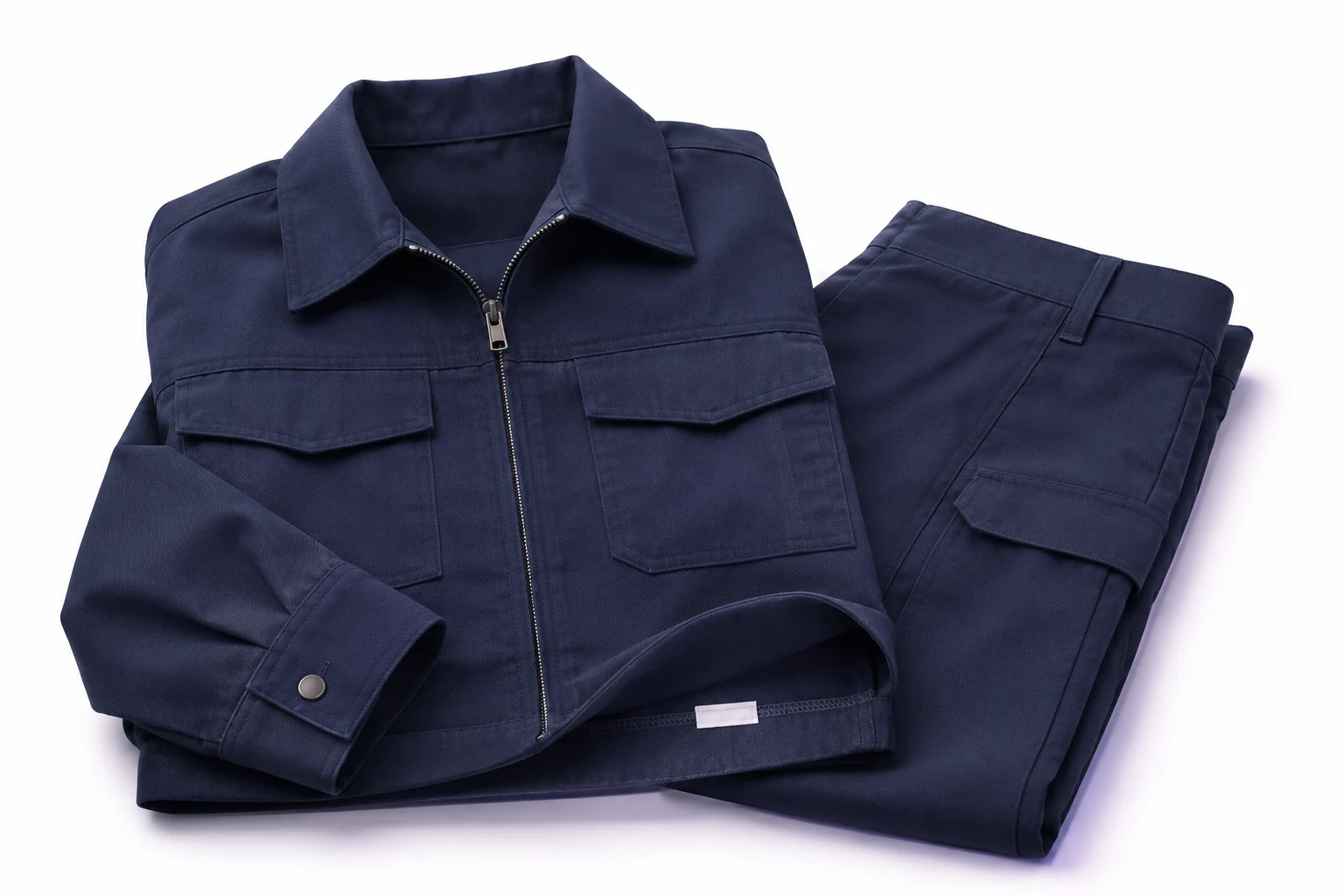
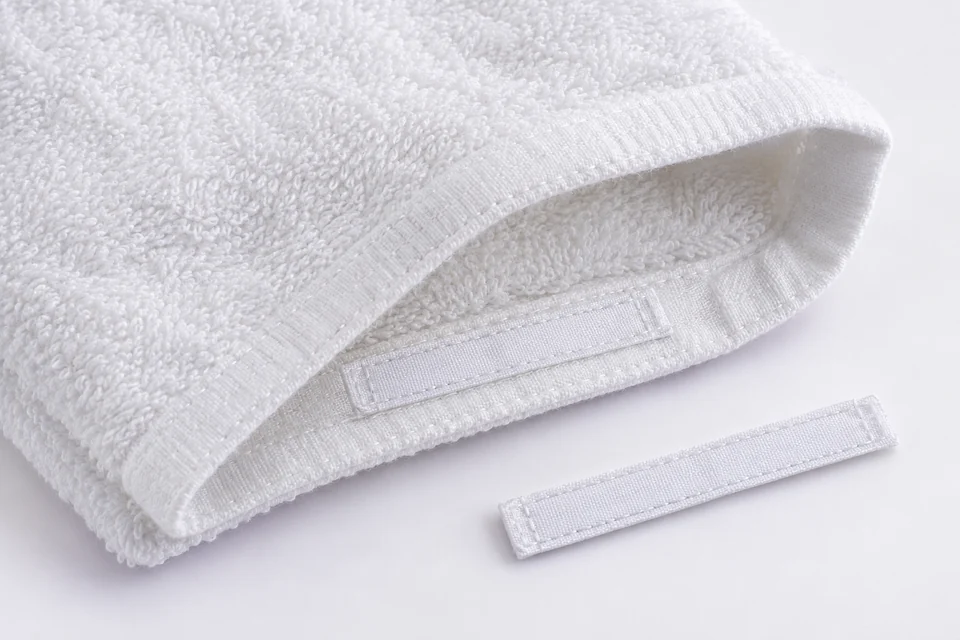
Identification of each piece
Discreet marking matched to textiles.
UHF RFID soft laundry tag you assign to a specific item. The fastening method is selected depending on the fabric and the handling process.
- Sewing: tag in a seam or hem.
- Heating: appropriate tag and application parameters.
- Laundry pocket: matched tag placement.
We check washing and drying conditions, chemicals and reading place. QR or NFC codes can complement identification where they fit devices and workflows.
From check-out to next use.
Each stage applies to recognized pieces. You select statuses and registration points for your own workflow.
Tag and assign
Add record, size and ID. Connect item with the right organization and employee.
Register issue
Recognize the person and things given for use. Keep a record of the assignment and the document required for a given workflow.
Send to laundry
Read the transferred items and register the transition to the washing stage. It's easier to see what should come back.
Compare reception
Recognize returned clothing, check the list and explain missing or unexpected items.
Save control
Record condition and need for repair, replacement, or recall. The responsible person makes the decision.
Prepare re-check-out
Check readiness and assignment. The clothes are returned to the right person or to the available stock.
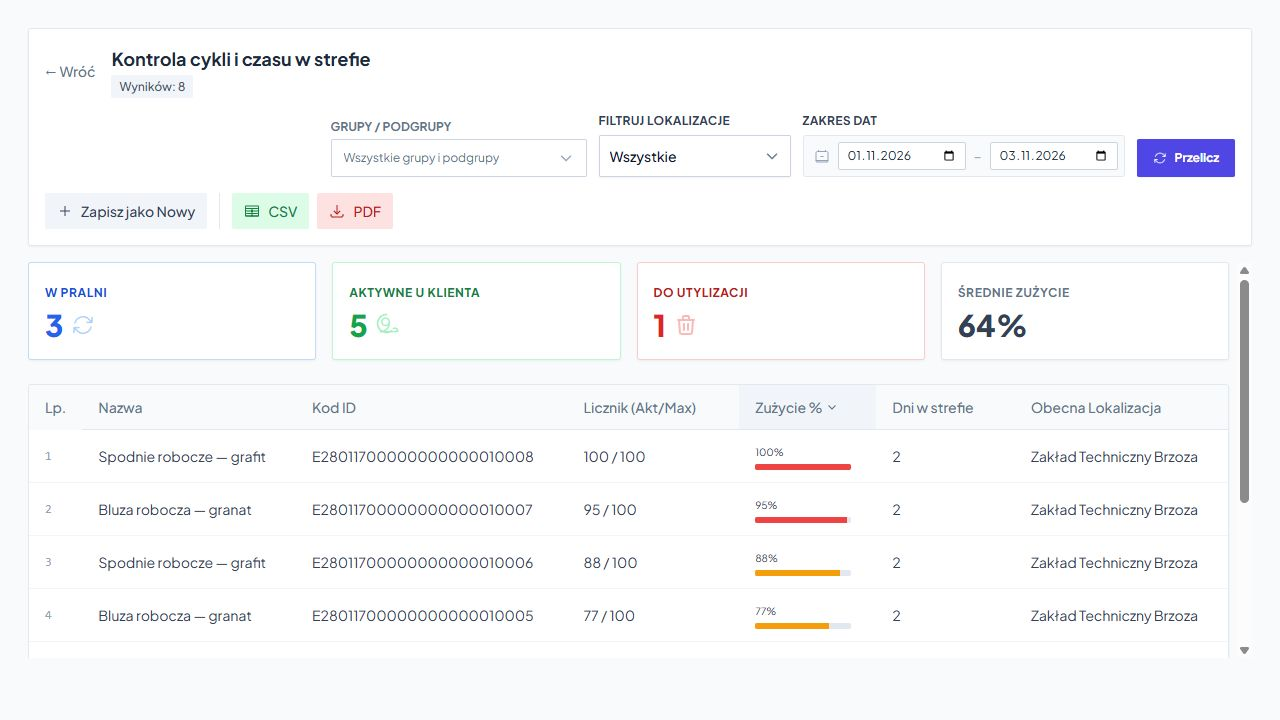
History helps you plan further service
You see the number of cycles and things that need attention.
You record transitions between stages, a counters and set limits help you select clothing for inspection, replacement or recall.
You check the list current location, time in zone and limit usage. Filters help you focus on the right group and period.
The counter describes the history of recorded cycles. The condition of the fabric, seams and protective elements is assessed by a responsible person in accordance with the requirements for the garment.
Fewer errors in sorting and issuing
After returning from the laundry, we know what to do next.
Different people's belongings are returned in one batch. Identifiers help compare received items with the records and prepare the appropriate division.
- No item: you go back to history and determine the last saved stage.
- Damage: you save the problem and send the item for repair.
- Exchange: you verify size, allocation and available stock.
Exceptions are handled before the next check-out. It is easier to separate things that are ready from those that are waiting for a decision.
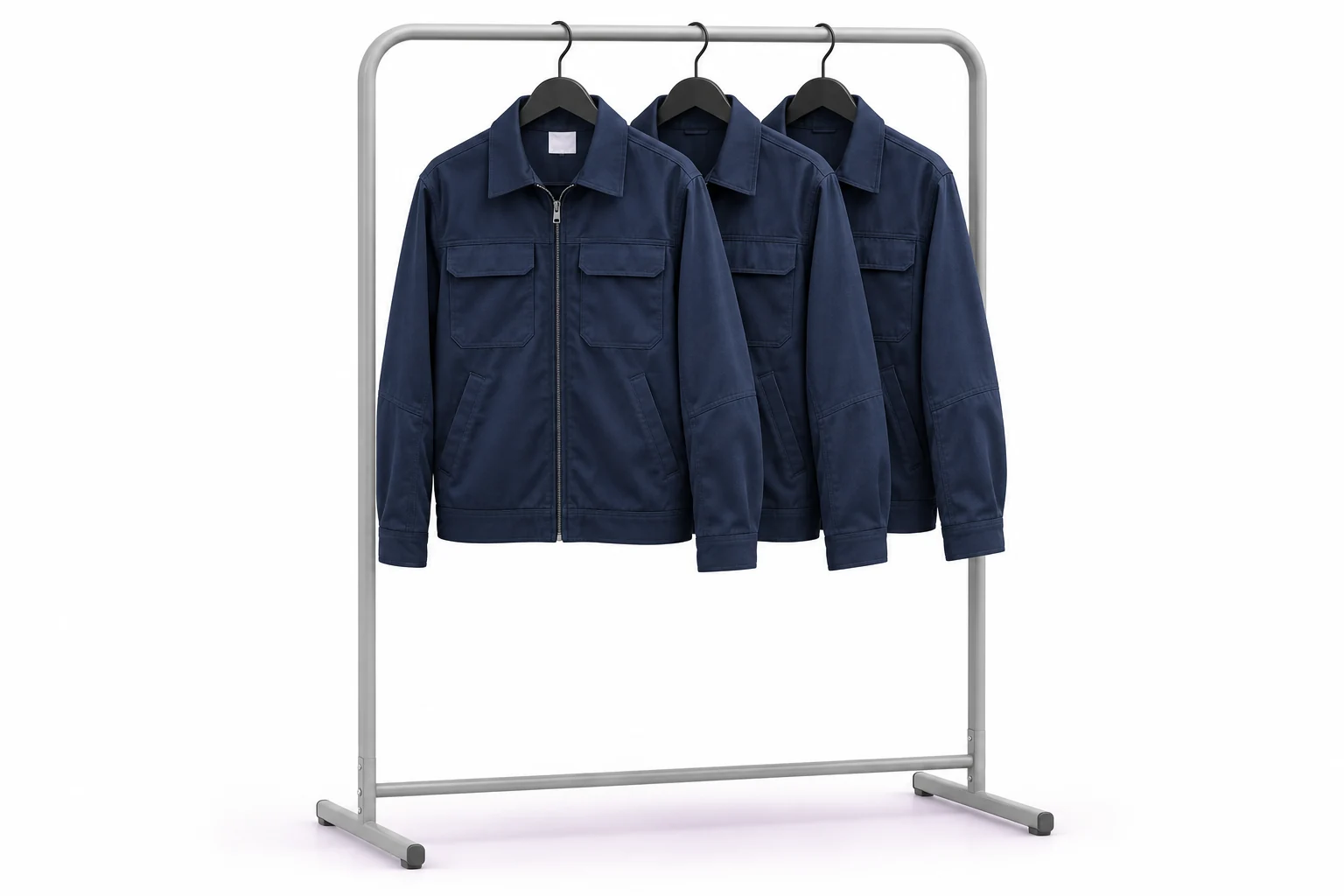
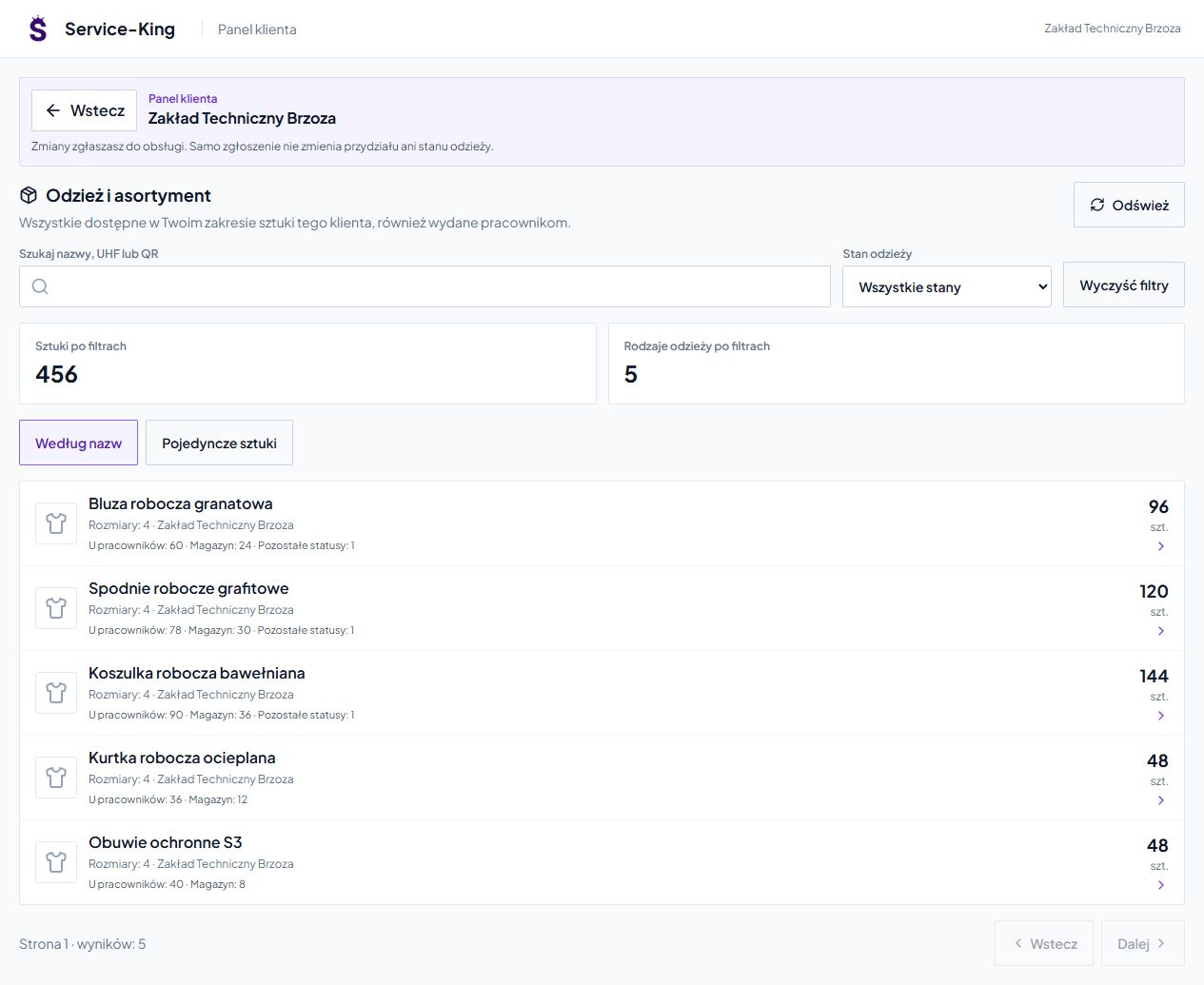
Transparent cooperation with the service recipient
The customer checks his assortment himself.
He can see in the shared panel types of clothing and their quantities. It can go from a summary of names to a specific piece and its identifiers.
Search engine and filters help you check what is in stock, issued to employees, in the laundry or repair. Access applies to his organization's data and running functions.
The service team spends less time on repeated questions about quantities and sizes. Get to know the customer and employee panel →
Less rewriting of message data
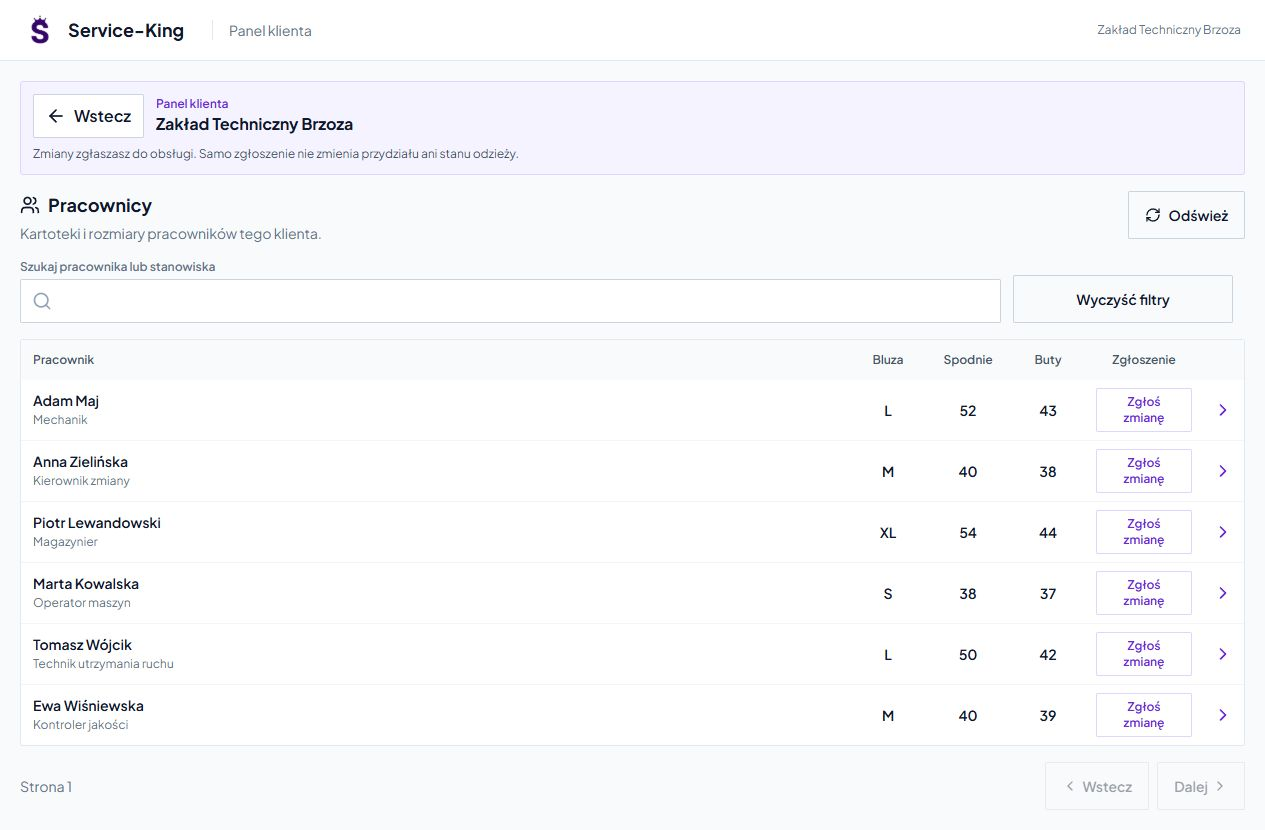
New person or different size? The data goes to the service.
Table collects employees, positions and basic sizes. Reporting on a person preserves their context.
In the configured workflow, the client communicates the need to add an employee or change data. The staff checks them in Report-King and carries out the appropriate operation.
The application is not a clothing issue. You record the allocation and movement of items separately. The person record is also separate from the login account.
Read tags where garments are handed over.
We select reading points depending on the number of pieces, packaging method and working conditions.
Receipt and receipt of the lot
A gate or selected reading point helps to recognize many marked things during batch handling.
Issuing station
Countertop reading supports checking items handed over to a specific person. The check-out record remains part of the agreed circulation.
Single item inspection
A mobile reader or compatible device helps identify items while clarifying missing items and handling exceptions.
We check the reading conditions on actual clothing and packaging. Moisture may limit the range of UHF RFID. See variants of laundry gates and stations →
Questions before implementation
Can I assign clothes to a specific employee?
Do I have to mark the entire stock at once?
Does the laundry counter itself assess the protective condition of clothes?
Can a customer report a new size or employee?
Free consultation
Which stage of clothing handling takes you the most time?
Let's go through one set: issue, wash, return and subsequent use. We will show where identification and common records will shorten the work.
- Scale: number of employees, customers and pieces.
- Workflow: own laundry or external service.
- Problems: shortages, size errors, repairs or stock calls.
We help prepare data, markings and the way the team works. We will adjust the scope of launch to the process.
Let's talk about clothing service
Describe your current workflow and where you want to start.
Connect apparel, customer service and circulation data.
Practical knowledge