

How much do we have and where is it?
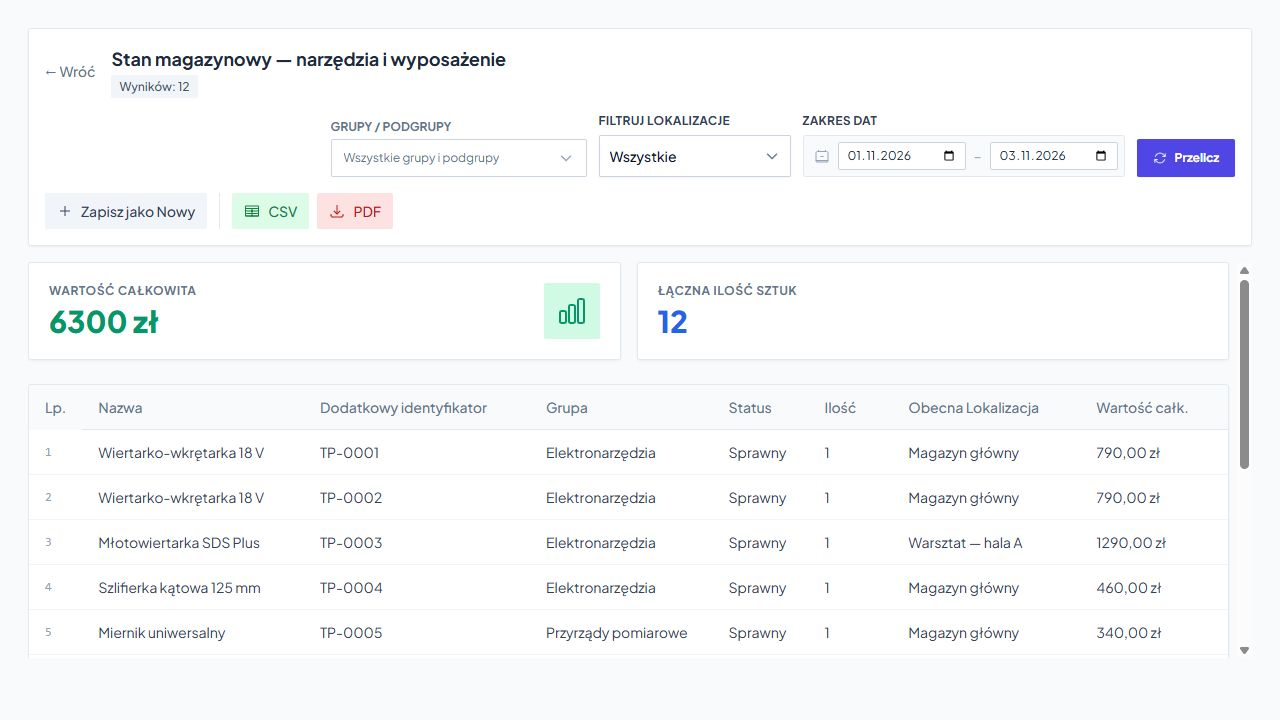
Stock levels and equipment: quantities, statuses, groups, locations and value. You can recognize a specific item by its UHF identifier, additional code or extension number.
Reports and movement history
How much equipment is in stock? Who has a specific drill? What's still waiting to be returned? Service-King helps you find the answer in data saved during daily operation.
From the list you go to document and history of specific item. You see the current situation and the operations that led to it.
Start with a question
Equipment condition, overdue return or service history? You choose an area and data range needed. You don't have to look through everything at once.
Stock levels and equipment: quantities, statuses, groups, locations and value. You can recognize a specific item by its UHF identifier, additional code or extension number.
Operations in the selected period: documents, their items and quantities. You check where things came from, who they went to and between what places they moved.
Loans and dates: recipient, issue date, borrowing time and limit exceeded. You know which phrases require contact with the customer.
See rental support →Services and inspections: subject, type of service, date, status and assigned technician. You can check the details of the work and documentation in the related order.
Learn about inspection control →Employee equipment: number and value of assigned items. You will explain issues, returns and liability based on documents and history.
See Tool Control →Laundry cycles and service: counter, set limit, remaining cycles and time in the current zone. The data helps you plan the inspection or replacement of equipment.
See counter example →Receipts, issues, returns
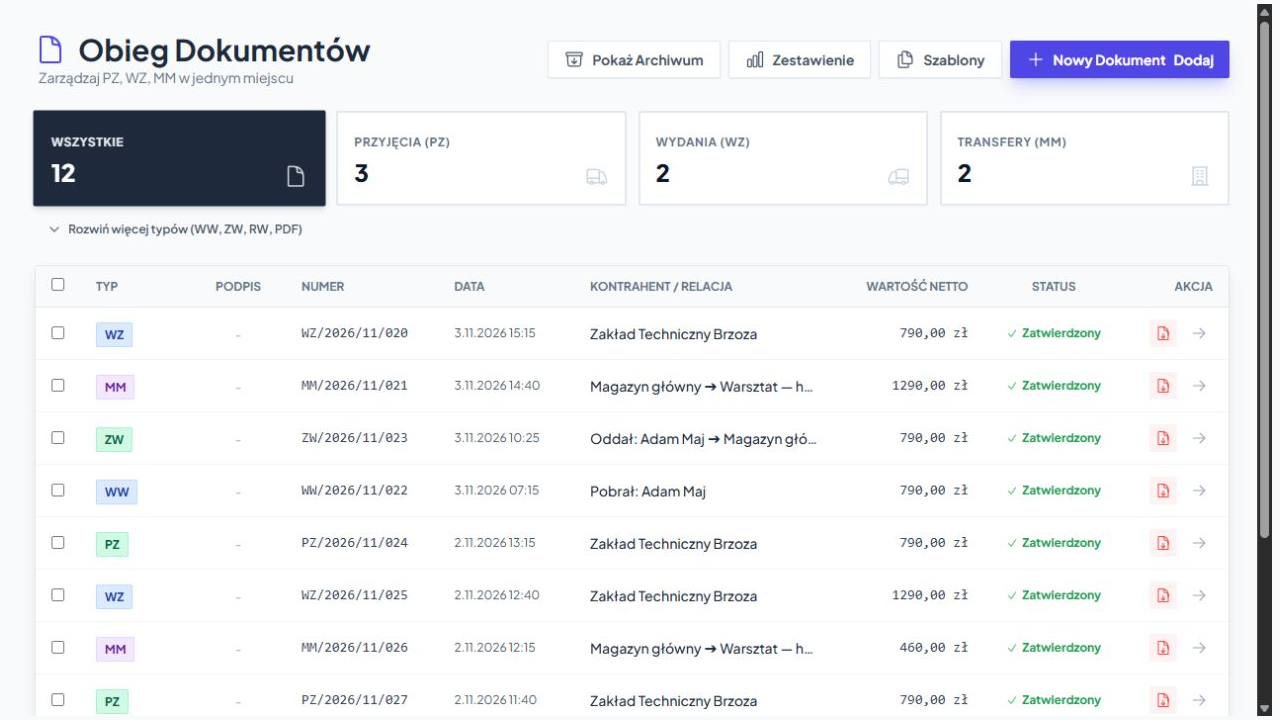
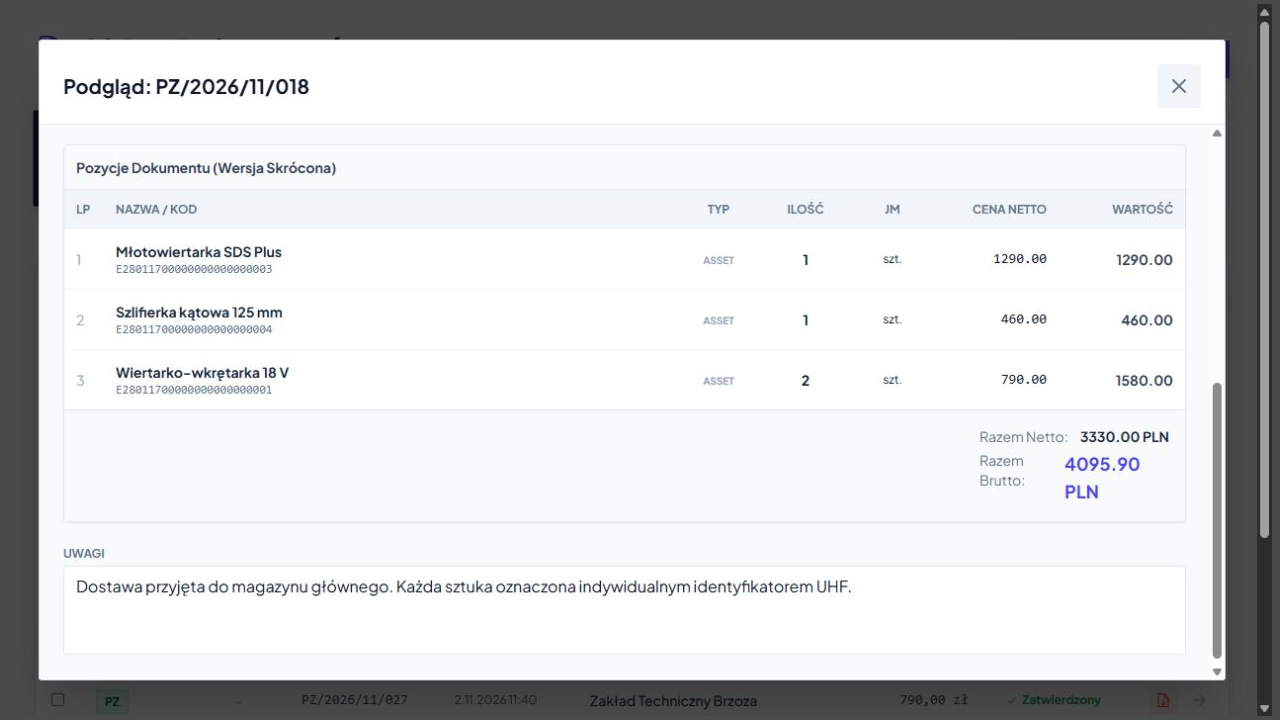
The document confirms, what was received, to whom it was issued and where it was transferred. On the list you check numbers, dates, business partners and statuses. You open the right document when you need its position and quantity.
From summary to detail
There are specific operations behind the aggregate result. You check the document names, quantities, values and receipt or issue details. You can also download PDF.
The confirmation recorded during the operation helps determine who received the items and what the transfer was about.
Data can be collated by customer, branch and product name, as well as weight if recorded in your process.
The history of a specific item
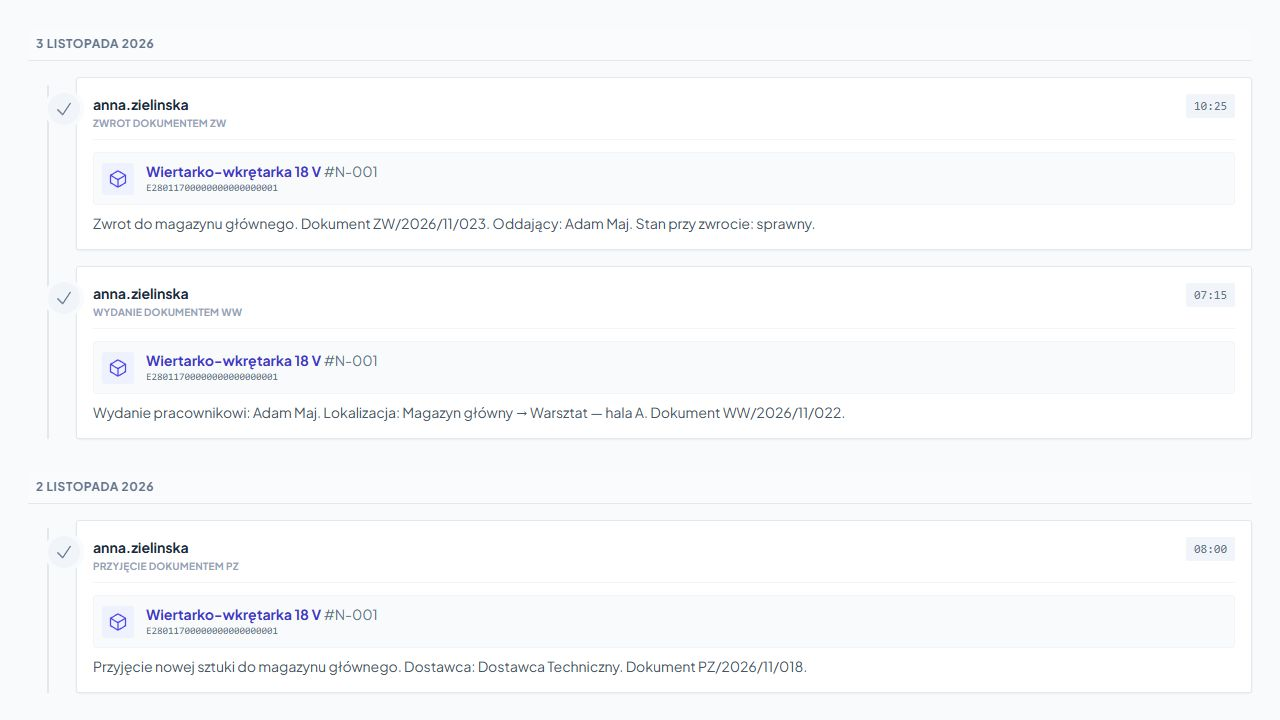
The model name is not enough when you need to explain the absence. Individual ID allows you to check the operations for the correct instance.
It will be easier to find the last transfer and determine where the difference in condition came from. The list of documents summarizes the circulation, and the history shows subsequent events.
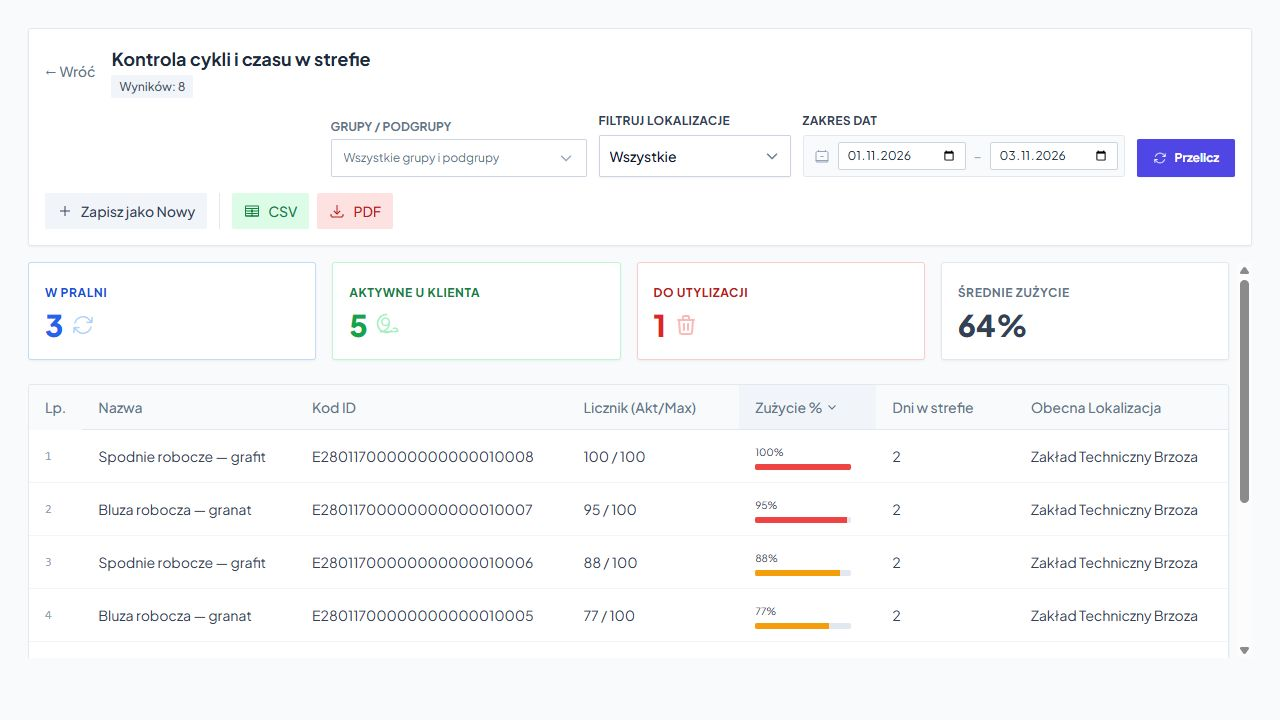
Circulation cycles and zone time
The age of equipment alone does not indicate how intensively it has been used. For monitored pieces you check recorded cycles, limit and time in the current zone, e.g. in laundry service.
The counter results from saved operations and process rules. Quota utilization is not a measurement of physical consumption. The actual condition is confirmed by inspection.
See the textile circulation in the laundry roomOne layout, more combinations
Save the necessary layout as reusable template. You select the columns and filters available in a given type of report.
What do we have now? This is a question for the current stock report. What happened in the month? You can check the operations from a given period.
Data ready to use
You provide a clear summary or continue working with the data. No manual rewriting of lines.
You download the report in an easy-to-read layout, e.g. to send it to a client or discuss it with a manager.
You open the file in Excel or another spreadsheet and use it for further analysis or preparation of import.
After setting up the template, recipients and shipping selected statements can be sent to selected people daily, weekly or monthly. The scope of data results from the configuration and granted access.
Larger reports can be created in the background so as not to interrupt your daily work.
Free consultation
Show us your current lineup or describe one question that's hard to answer. Together we will determine what data you need and how to present it legibly.
To start with, a description or an example layout of the statement is enough. We will discuss the data and process during the conversation.
Write down what takes up the most time today. We will determine the scope of the free consultation.
The report uses saved operations. Get to know the processes that organize them in everyday work.
Practical knowledge