

Employee operation
An authorized person recognizes the item and performs the appropriate action in the system.
Production and process tracking
Receipt, processing, quality control and check-out. Service-King connects things, places and saved operationsso that the team can check the flow.
Start with simple confirmations made by employees. You can expand selected points by: RFID readings and reconciled data from ERP.
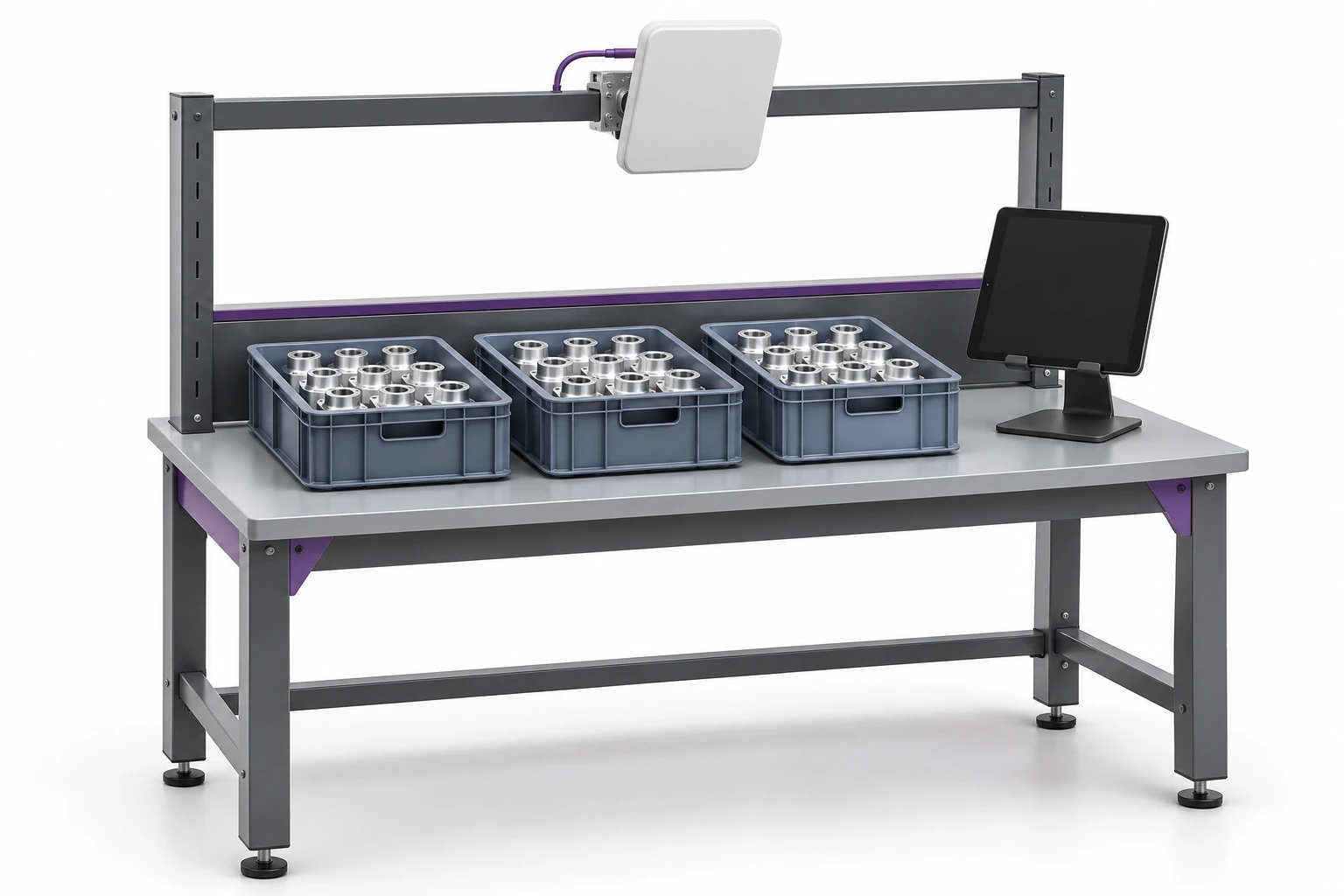
Instead of combining information from conversations and sheets, you start with a specific item, stage or product group.
The workstation, buffer, control, or product warehouse becomes a circulating location. In the example below we use four zones; you can add others, e.g. packing.
Confirmation of presence in the zone and the inspection result are separate information. We determine what action confirms the completion of the stage. The service stages may include acceptance, diagnosis, repair and acceptance.
The example shows 24 pieces: 6 in four zones. The view summarizes the saved quantities and breaks them down by name.
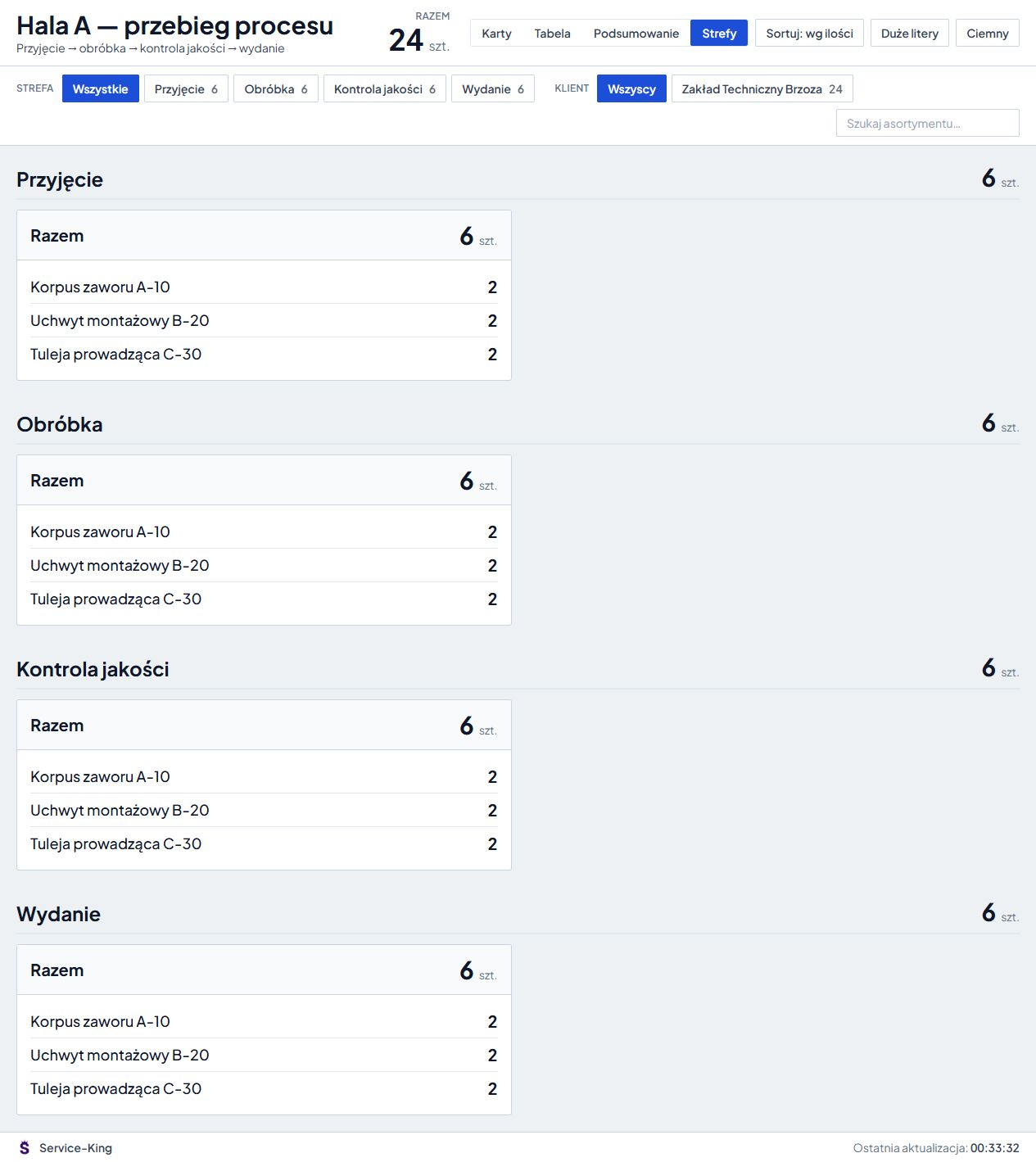
You select the view according to the recipient: cards, table, summary or zones. The monitor uses record data. Measurement directly from the machine requires an appropriate source and integration.
Summary for manager
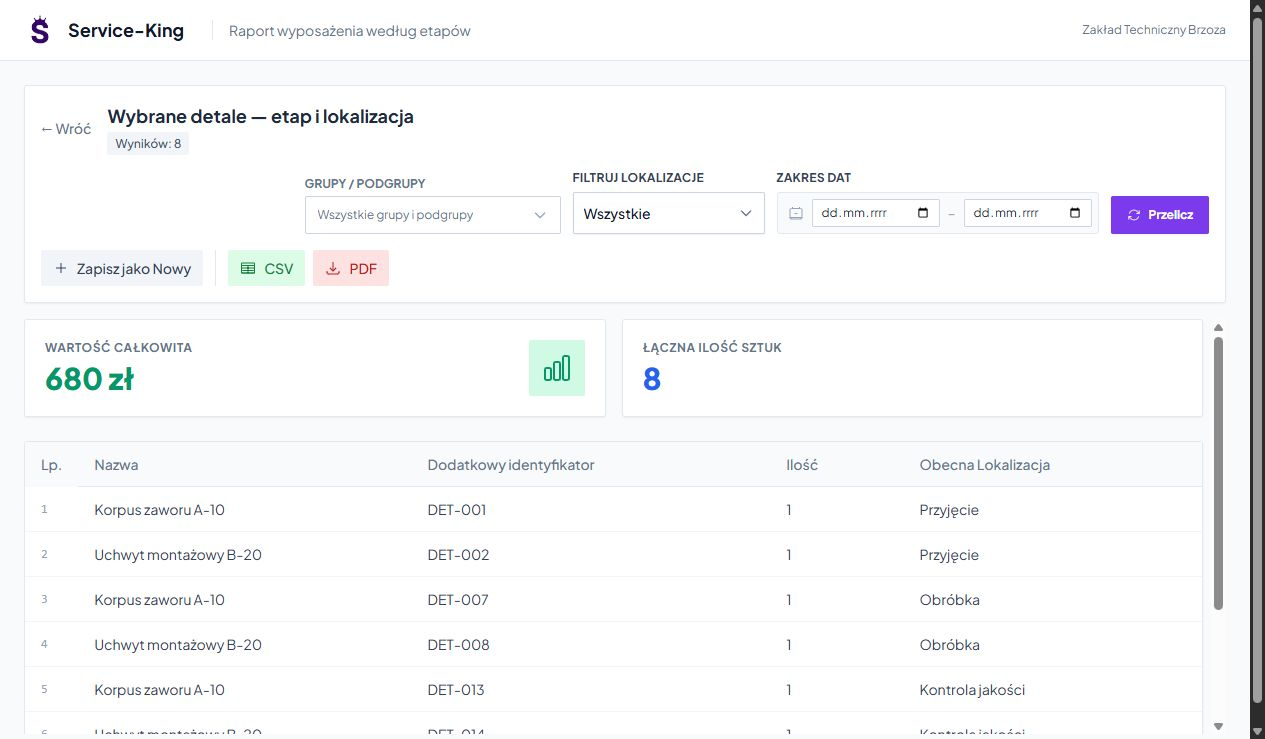
You check the list specific pieces and their current locations. The manager can review the selected group and determine what things need clarification.
Report on screen includes 8 pieces selected - 2 from each stage. The monitor above shows a wider range: 24 pieces.
These are two ways to use the data: general situation in zones and details of selected items.
History instead of replaying from memory
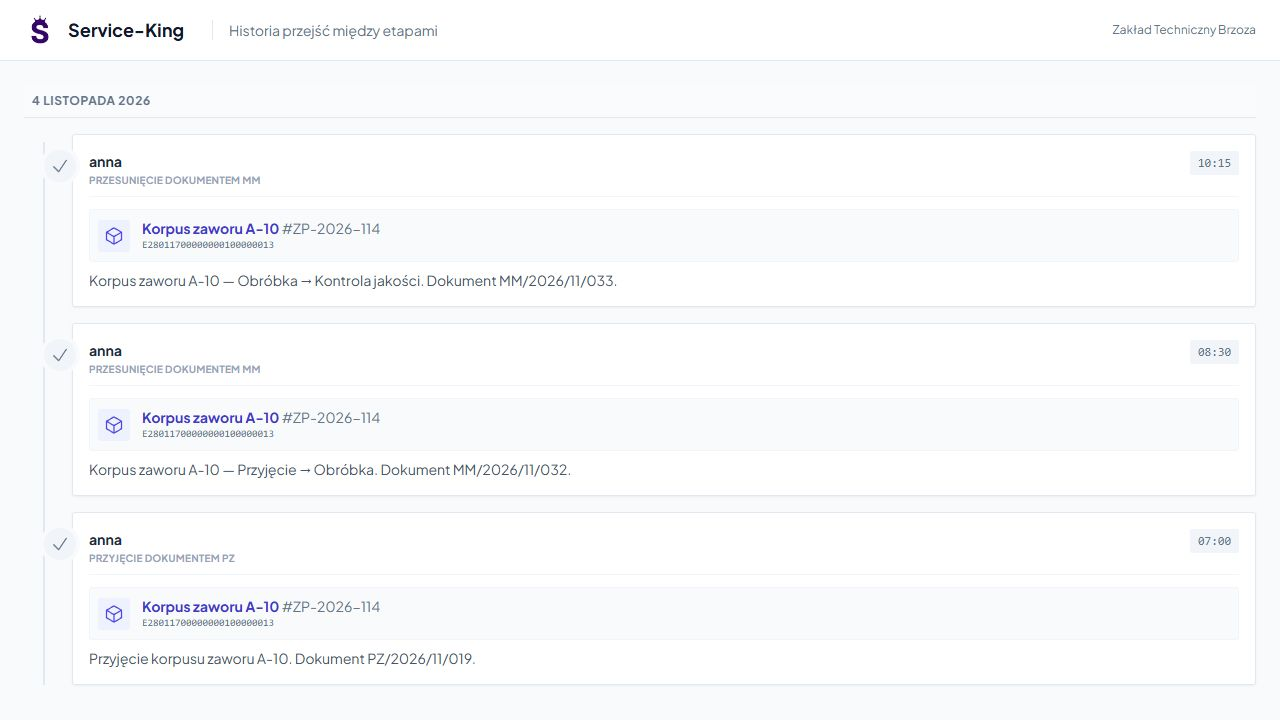
Dates, locations and documents show recorded transitions of a specific piece.
In this example, the part with a UHF code ending in 13 moved from receipt through processing to quality control. That is its currently recorded location.
When analyzing time, we determine the start and end points and the meaning of the report. The time between registrations may mean staying in the zone; measuring actual machine operation requires separate data.
Process-specific identification
A UHF tag can identify an individual part, tool or container. An additional QR code opens the same record through a phone camera.
When tagging a tray, define how its contents are linked. Reading the carrier identifies the tray; the number and composition of untagged parts require confirmation within the agreed workflow.
This is important for mixing batches, changing contents, and transferring items between stations.
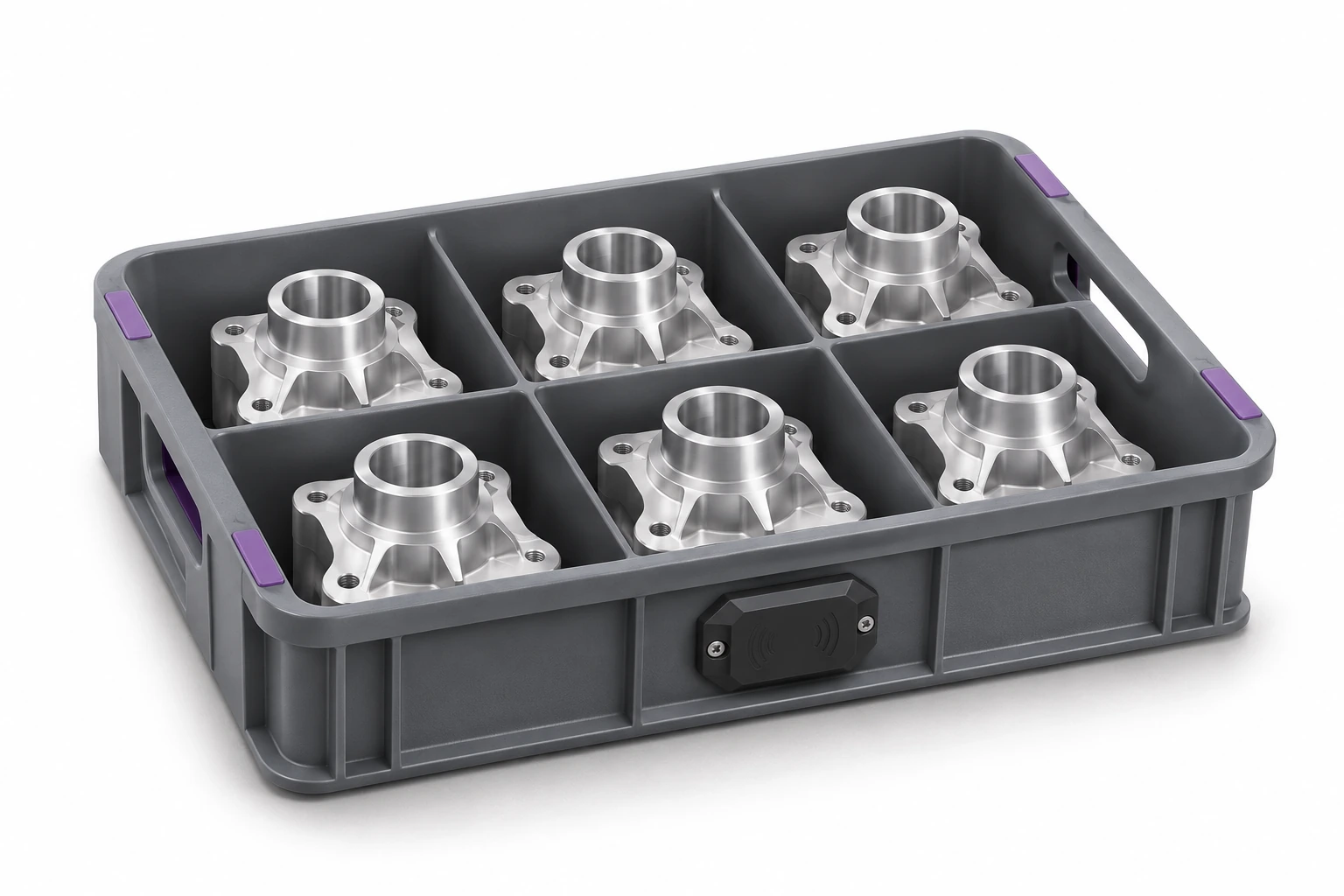
You can launch additional data sources gradually, starting from one station.
An authorized person recognizes the item and performs the appropriate action in the system.
Compatible reader, camera, available NFC or UHF handheld terminal help avoid number typing. You choose the method depending on the device and view.
The prepared RFID gateway or station transmits events to the agreed circulation. We determine movement confirmation, repetitions and unknown codes.
The workflow also depends on the available equipment and the condition of the devices.
In Service-King you use cards of machines, parts, notifications and service orders. It's easier to see what needs servicing on the equipment needed for the process.
In the agreed integration, ERP can transfer indexes or the order number, and selected confirmations can be returned to the parent system. We determine the scope, direction and meaning of data for the client's system.
Machine and parts cards → Connected business image and ERP integration →
Select one episode, check the usefulness of the data and only then expand the scope.
Free consultation
Choose a part, container or tool. We will prepare an example of the stages, confirmations and views the team needs.
To start with, a simple description of the next places and the current method of confirming work is enough.
Describe one workflow you want to organize.
Practical knowledge