Skip to content
Service-King

Tool crib program • Service-King

Less time searching for equipment. A more efficient tool crib.

Employees are waiting at the window, someone is looking for a meter, and one thing is missing when returned. Service-King helps you organize issues, responsibility for equipment and settlement of returnsso that the tool crib can handle daily operations more efficiently.

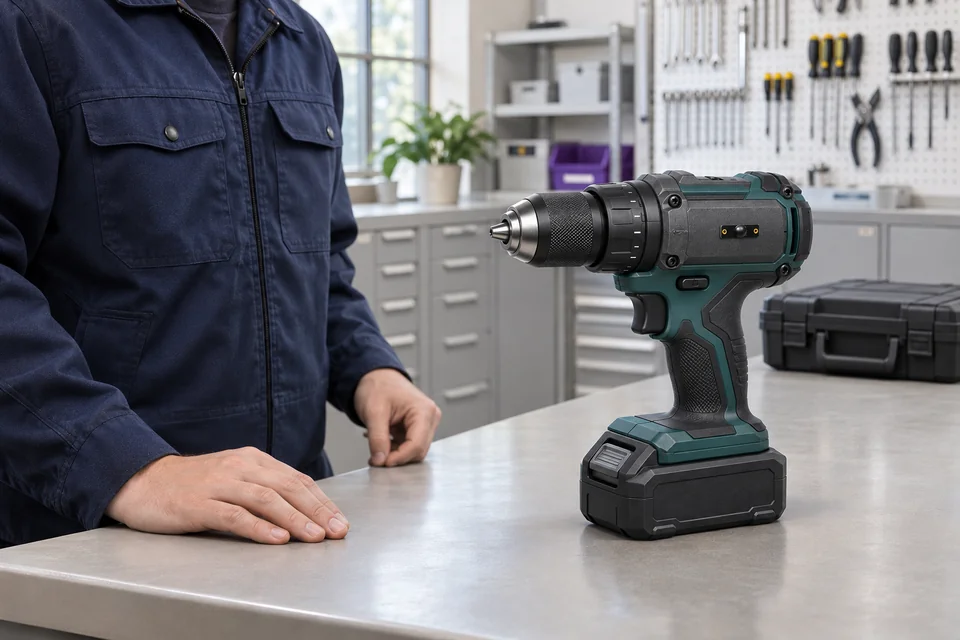
Dispensing point in a bright tool crib: an employee and a power screwdriver marked with a small RFID tag
Example of a check-out point with a tagged tool.

You know this from your everyday work

Where every day time running out?

The warehouseman is to issue the necessary equipment, and at the same time recreate previous issues, count returns and find missing items. It often takes the most work determining what should be written to the tool.

Before

Paper records, queues and unanswered questions.

The queue grows, and every uncertainty means more searching, retyping and questions about equipment.
  • Handwritten equipment issue records
  • Queues at the issue counter
  • Difficulty reading dirty or damaged barcodes
  • Manually identifying the person collecting equipment
  • No up-to-date control over the number of items issued
  • Uncertainty about whether an employee may collect an item
  • Missing items only emerge when returns are reconciled
  • History scattered across paper, spreadsheets and the team's memory
After

RFID reading and controlled equipment handovers.

Place the equipment on the counter and present the employee card. The read is recorded, and the handover can be checked against permissions and limits.
  • Fast record keeping and straightforward company asset control
  • Automatic RFID reading at issue and return
  • Employee identification using an RFID card
  • PPE issue control and limits on collection quantities
  • Product access based on employee permissions
  • Complete history and automatic issue, collection and return reports
  • Quick visibility of missing items and outstanding returns
  • Less retyping and fewer errors at shift handover

Start of change • work example

Several people at the window. The check-out is expected to go smoothly.

The warehouseman recognizes the tool, indicates the recipient and approves the check-out. Does not rewrite names and numbers, which are already in the register.

A note remains with each piece, to whom and when it was given. Then you start by checking the operation, instead of recreating the flow from the conversations.

  1. Recognize the correct itemRead RFID, QR or code and open a specific record.
  2. Specify worker and equipmentChoose the things you give to this person.
  3. Commit check-outThe entry binds the recipient, tools and the operation document.
What speeds it up?

You limit the repetition of data on subsequent receipts. When someone asks for a tool, you have it recorded attribution and history of a specific item.

Service-King application viewEnlarge preview
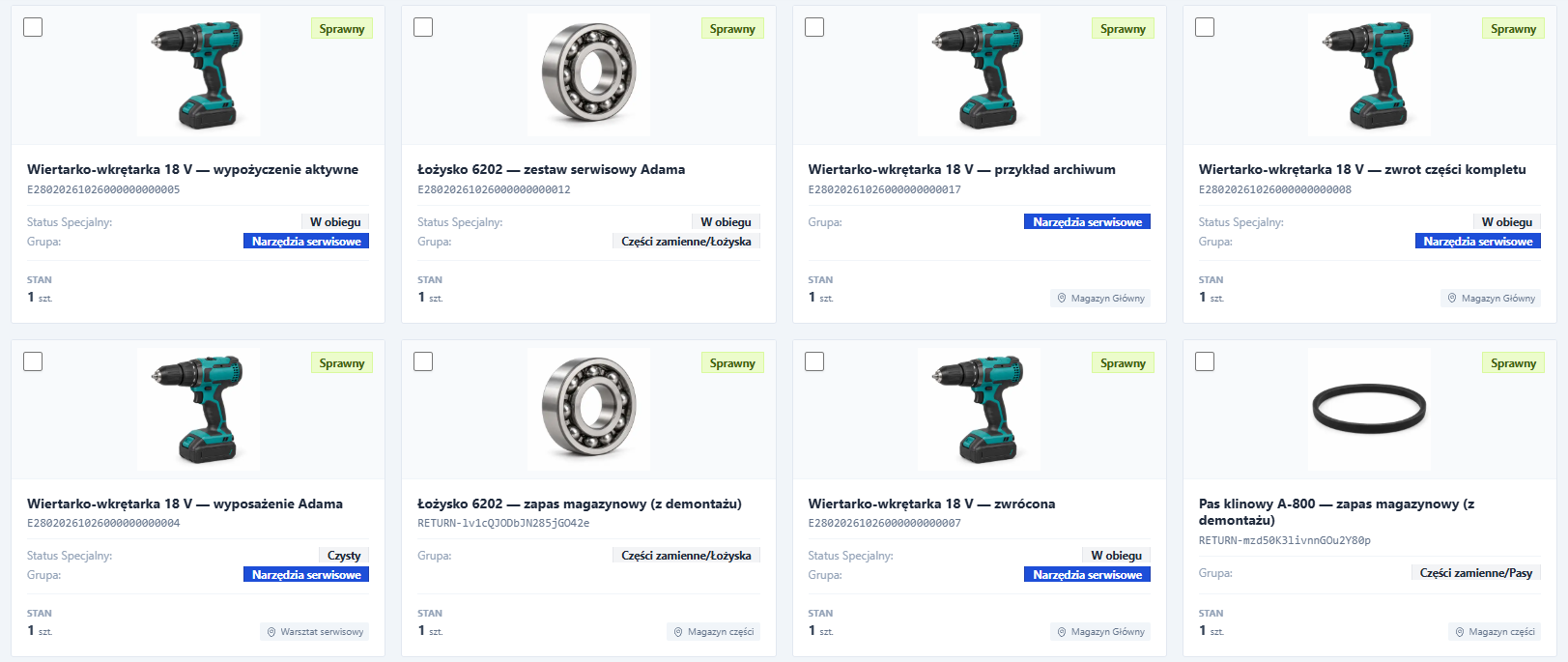
Tool records with individual codes and assignments
Actual screen on sample data. You can distinguish similar power screwdrivers by their individual code and their circulation records.

Station matched to the window

You put the equipment on the counter. The employee applies the card.

The check-out point can be prepared so that tool reading and receipt confirmation matched the daily movements of the warehouseman and employee.

RFID under the countertop

Reading station at the equipment storage area

We can prepare an RFID gateway for the dispensing point with antennas under the countertop. Place marked tools in the designated reading zone. We adjust the selection of the table top, reader and antennas to the equipment and surroundings.

Learn about the applications of RFID gates
Quick reading of the employee's card

Present your card and confirm receipt

You can use it in a properly configured workflow employee card authorization or a caption on the screen. The confirmation remains linked to the operation and document.

See Confirmation Check-out

End of task • example of partial return

Three items released. Two are back. What about the third one?

The employee returns the power screwdriver and grinder, but still has the meter at the workstation. Warehouseman only accepts returned items and indicates where to put them away.

Meter remains to be settled. There is no need to mark the entire set as returned or remember the missing item on a separate sheet of paper.

  • Drill/driverReturned
  • Angle grinderReturned
  • Measuring instrumentTo be settled

Less checking from the beginning. You're back to an item that actually needs explaining.

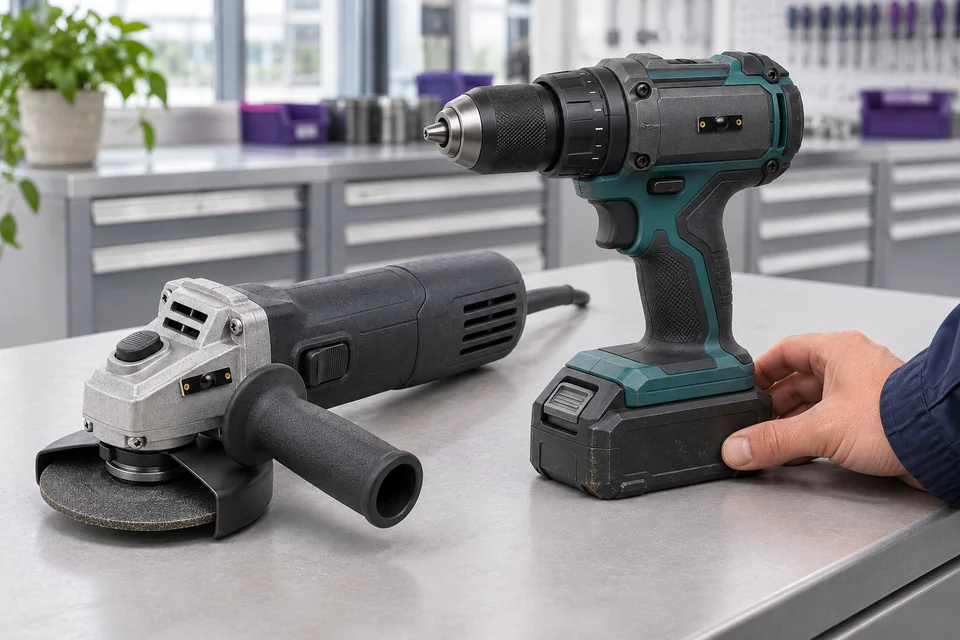
Two tagged tools returned to the tool-crib counter: a power screwdriver and a grinder
Example of adopting two tools. You settle other items spent separately.
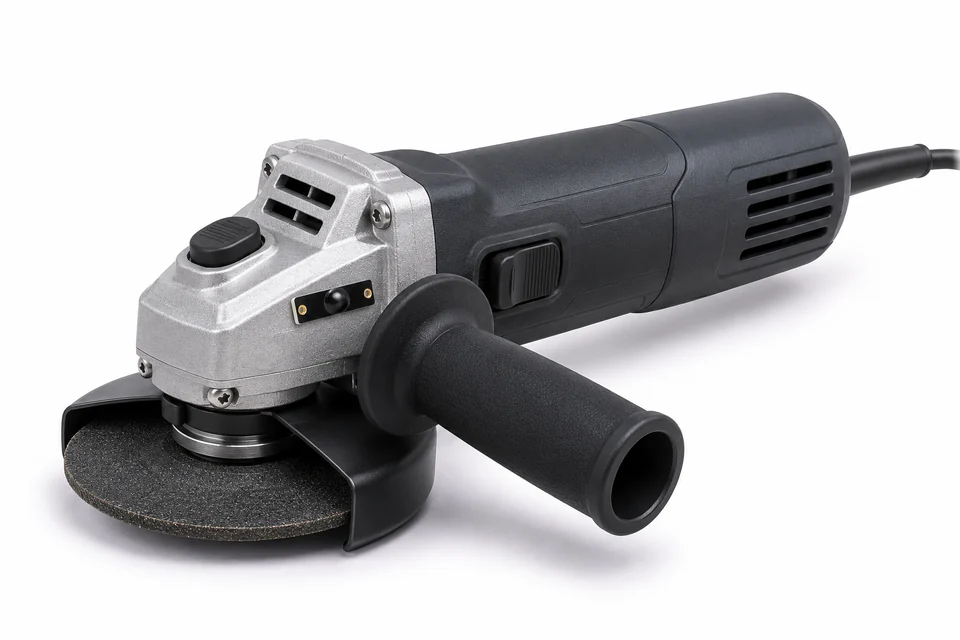
Grinder with individual RFID tag on the housing
You keep status, dates and documents for a specific piece of equipment.

After return • preparation for the next issue

The equipment came back damaged? Save this with the tool.

Return acceptance and readiness for reuse are two separate records. Status, deadline and documentation help convey information to the next warehouseman or person responsible for service.

  • On return save the status and status information you need.
  • In the file keep the terms, instructions and documents of this item.
  • In service plan contractor, activities, deliverables and work approval.

Information travels with the hardware. The next person starts by writing down, not by determining what happened during the previous shift.

See service and parts support

During the shift • work materials

Shields end when when someone needs them right now?

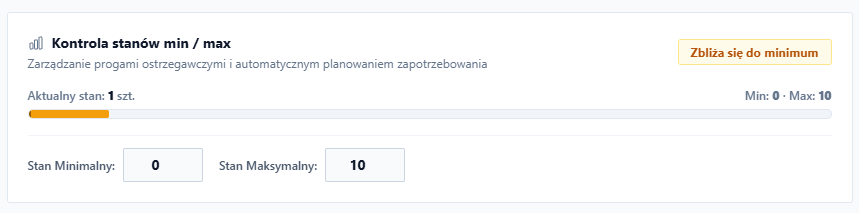
Next to unique tools, lead quantity of drills, discs and consumables. Check the saved status and minimum and maximum thresholds.

Employee check-out limits help control the amounts spent. Warehouse and procurement have a common point of reference when planning replenishments.

It's easier to prepare for the next shift. You don't have to start each check by going around all the containers.

Service-King application viewEnlarge preview
Min and max state settings for material
Actual screen on sample data: current status and quantity thresholds at the position.

Before the next task • completeness of equipment

Check what's missing, before you send the set to work.

Select a zone, e.g. brigade equipment or service car. Reading marked items helps compare actual equipment with the list in the system.

  • Confirmed items has been read in the selected range.
  • Differences you check together with the history of issues, returns and transfers.
  • Clarifications you complete with a note, photos and the person responsible.

You focus on the missing item. You can divide a larger list among the participants and continue the search even after the list is closed.

How the full RFID stocktaking is carried out
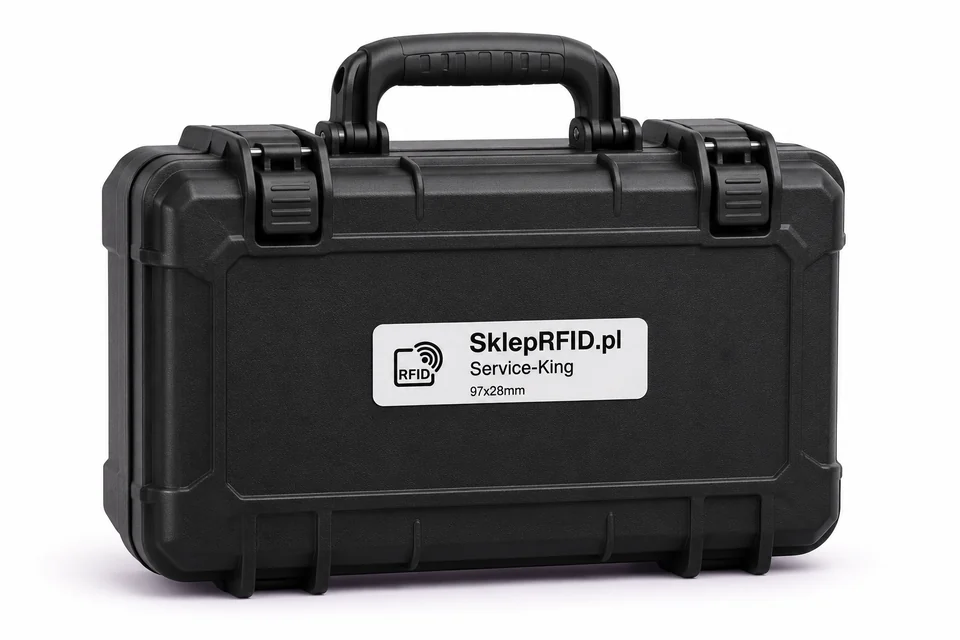
Hardware case with Service-King RFID tag
To check the contents of a set, individual tools receive their own markings.

Specifically: where the system helps

Fewer steps to repeat. Faster access to answers.

Saving time comes from organizing several daily tasks - from the check-out window to preparing the next shift.

When issuing

TodayYou enter the names, numbers and details of the person on subsequent receipts.

From Service-KingYou select equipment and recipient from a common register.

When someone is looking for a tool

TodayYou're calling people to find out the last user.

From Service-KingYou are checking the saved check-out and history of this item.

When settling returns

TodayYou determine from the beginning what came back from the released set.

From Service-KingYou go back to the things that still need to be settled.

When planning replenishments

TodayYou start by checking containers and collecting reports of shortages.

From Service-KingYou check the saved quantities and set material thresholds.

During the consultation, we can go through your issue and return example to indicate the activities that should be simplified first.

View daily operations reports

A simple start

Start with one check-out point.

First, we organize the circulation that most hinders the work of the warehouseman and people on shift. Then you expand the scope to other tools and places.

01

Select items and participants

Prepare a list of equipment, employees and locations. Indicate the most common problem: issues, shortages or returns.

02

Choose your operating method

Match the markings, the handheld terminal or position under the countertop and confirmation with a card or signature to work at the window.

03

Complete actual circulation

Check with the warehouseman about the check-out, partial return and transfer of items to the service center. Set rules for the next shift.

Before the interview

Questions that arise in the tool crib.

Do I have to tag all equipment at once?

You can start with a selected check-out point or tool group. First, we check the circulation on specific items, and then we expand the scope.

Could there be a QR code to start with?

Yes. QR is useful for recognizing a single item with a phone. UHF RFID helps in reading many things. Both designations can lead to the same record.

Does the RFID reading itself indicate who took the tool?

When issuing, you register the recipient and the operation. The reading recognizes marked items, and the connection with the employee results from the adopted method of handling and confirmation of issue.

Will I find a tool put in the wrong cabinet?

The history helps determine recent assignments, and the RFID search engine on the supported handheld terminal supports the search for a specific tag. Reading efficiency depends on the marking, environment and equipment. See how RFID search works.

Free consultation

What slows you down the most Your tool crib?

Describe one problem in your daily work. We'll show you how to sort things out issues, returns and liability for equipment in your circulation.

  • Queue at check-out? Let's talk about tool reading and receipt confirmation.
  • Missing after return? Let's walk through an example of partial settlement.
  • Equipment hard to find? Let's choose a method of marking and searching.

To get started, all you need is an approximate number of tools, employees, and check-out points, as well as a description of your current way of working.

Book a free consultation

Write what you want to improve. We will arrange the details of the conversation about your tool crib.

Practical knowledge

Learn more about this workflow.

All knowledge-base articles

Website language

Choose a language.