

Work
Device marked as working.
Machinery management
Which device needs attention? Who last changed the filter? Service-King collects statuses, parts, documents and completed work on the correct machine.
The technician checks previous entries and the manager sees where intervention is needed. Device knowledge stays in the company even after the change of service.
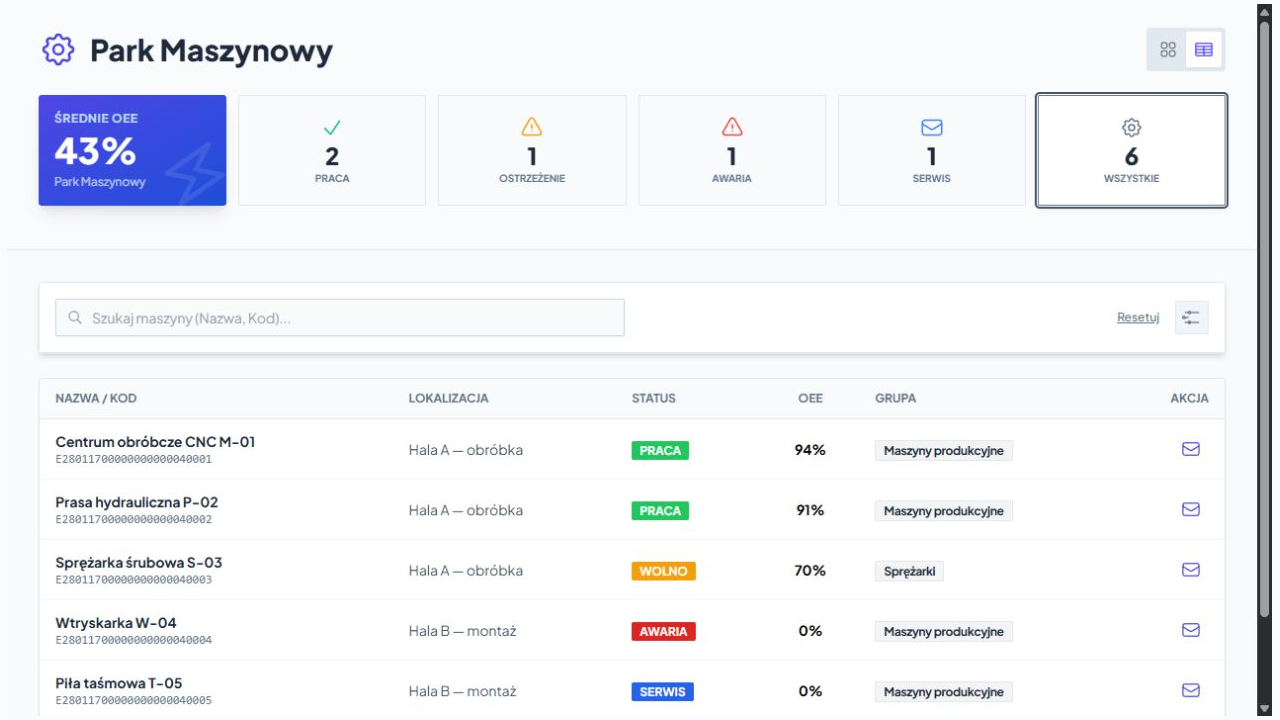
Start with the entire park
You search for a name or ID, switch tabs to the table, and filter devices. You see next to the name location, group and saved state.
Device marked as working.
Saved job with limited performance.
Machine requiring intervention.
Device under maintenance.
Machine marked as disabled.
Statuses and fitness ratings are there updated by the team according to process and permissions. The summary helps you select devices to check.
The right data on the right device
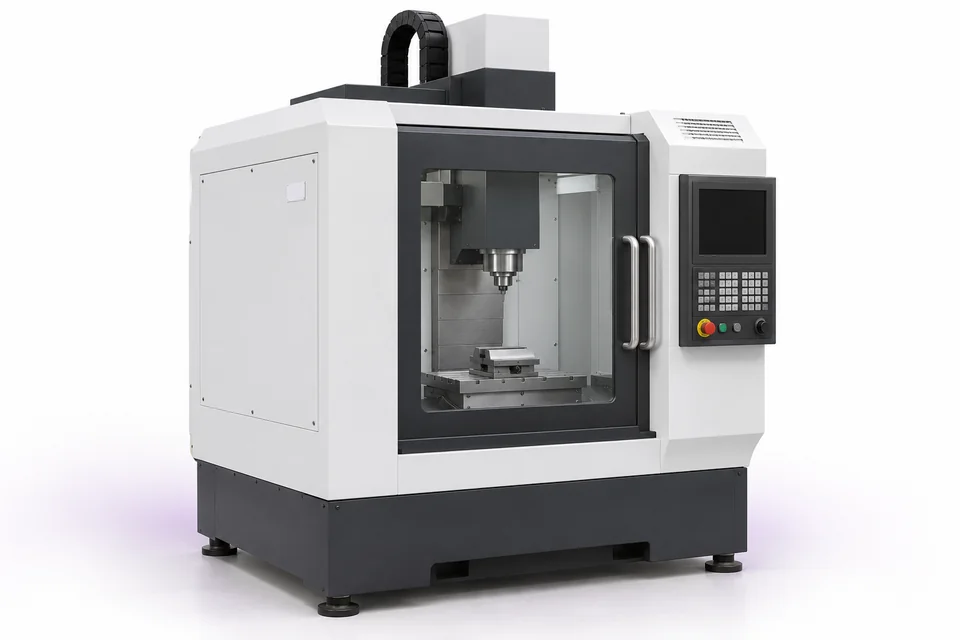
The name, manufacturer, model, serial number, identifiers and location form a shared equipment record. A photo helps distinguish similar devices.
You check what is mounted and what its saved state is.
You go back to the work done, dates and authors of entries.
You open instructions, plans and protocols assigned to the machine.
In the same panel, an authorized person updates status, fitness rating and service date.
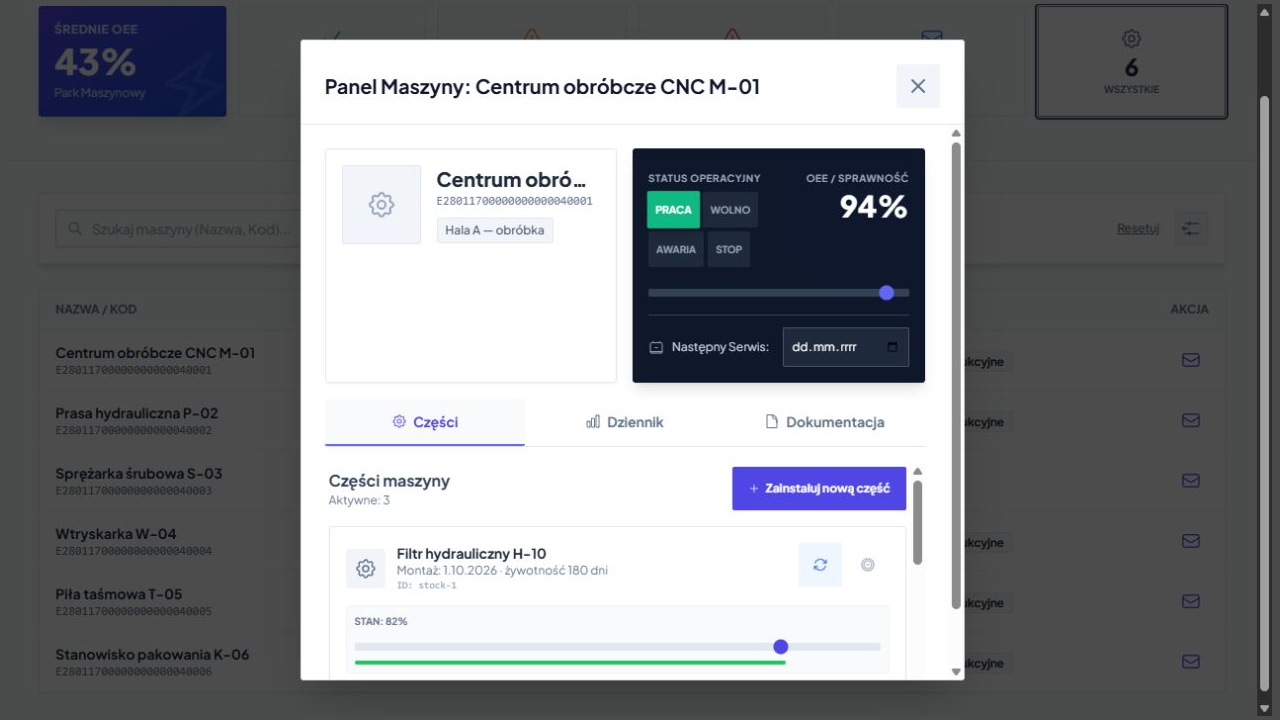
Parts assembly history
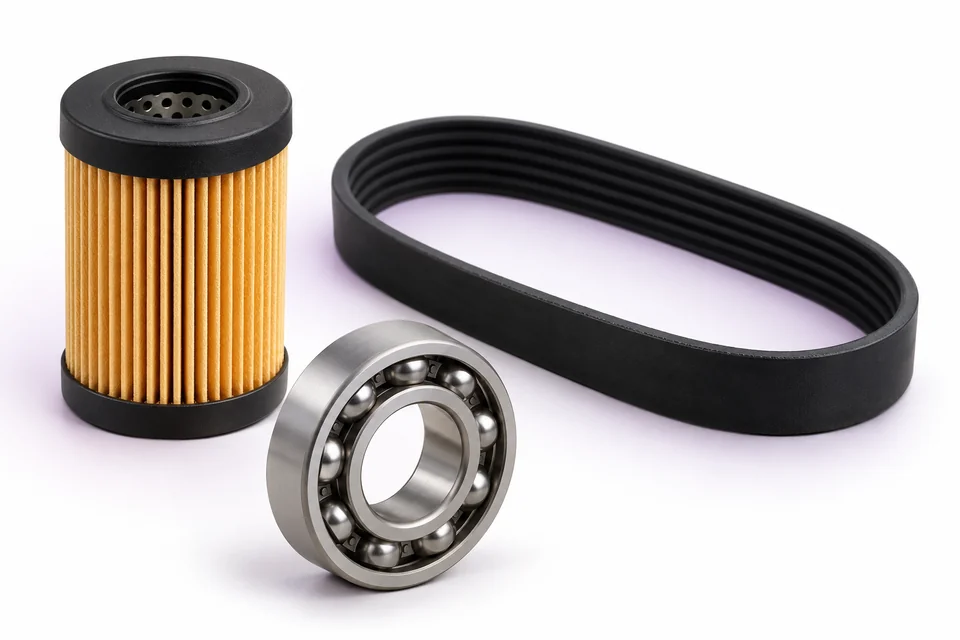
You save, what element was installed, when and with what estimated service life. For each part you can update the condition rating and add a comment.
The filter has already been replaced and the belt is still working and needs attention? The technician sees them as separate components of the same machine and prepares the appropriate action.
Parts from the equipment register
When exchanging, you select the source: parts warehouse or employee equipment. You see available items and quantities, search for a name or code.
Circuit supports Quantity and individually marked parts. The records link the checked-out part to the machine where it was used.
View parts and equipment inventory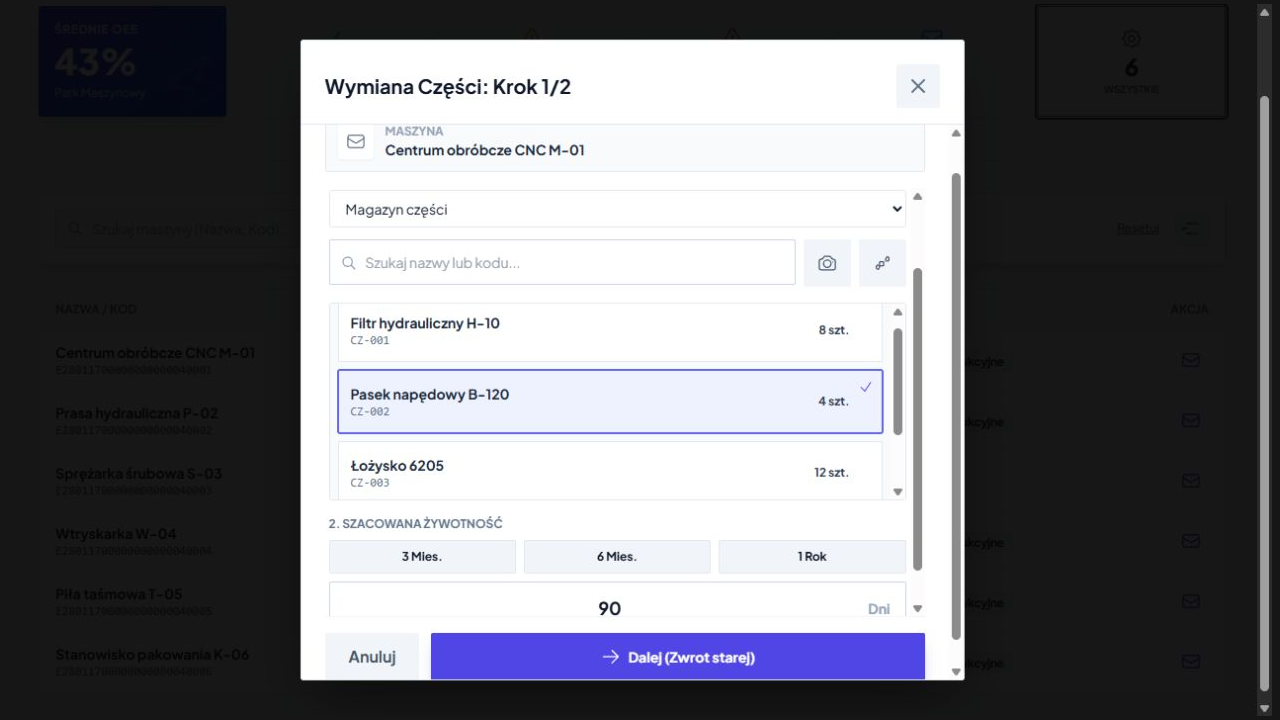
Knowledge for the next change
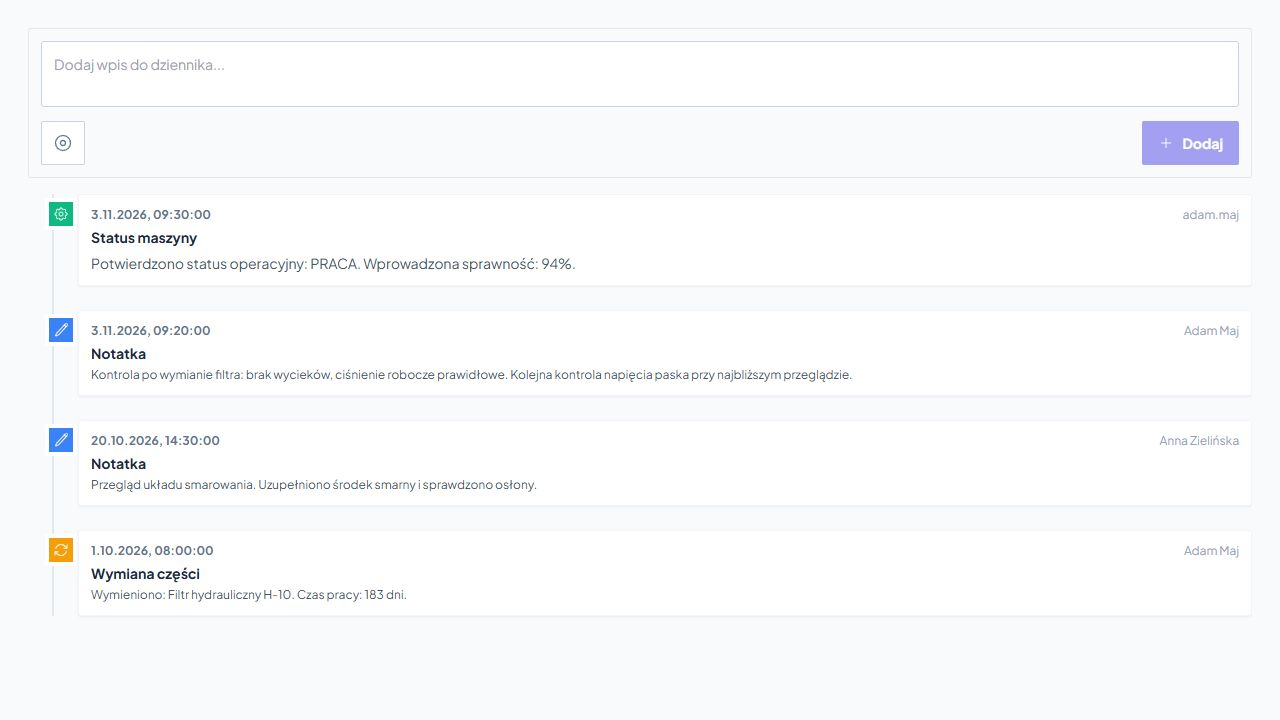
The diary is in order notes, activities performed, dates and authors of entries. Photos can be added to the observation, e.g. of a leak or an element after disassembly.
Information stays on the right machine instead of getting lost in private messages and notebooks.
Common technical documentation
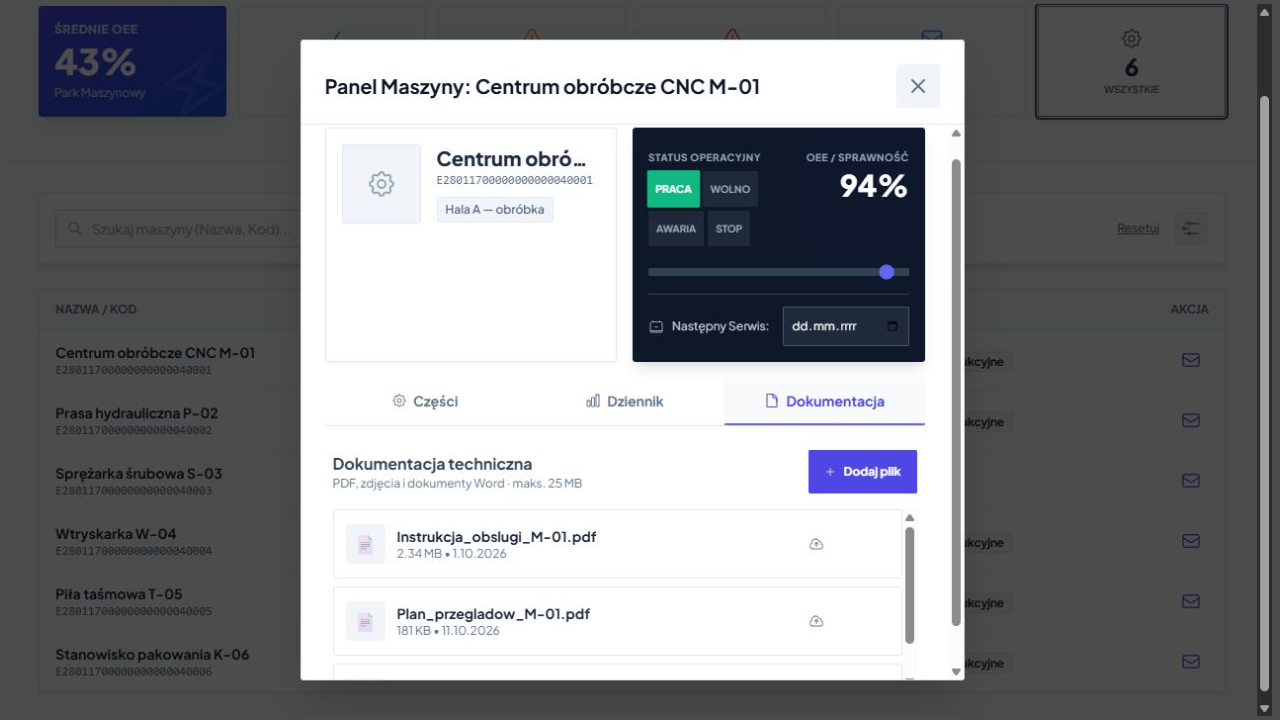
You store on the device card operating manuals, inspection plans, manufacturer's documents and inspection reports.
In the list you check the name, size and date of adding the file.
The technician retrieves the required document at the appropriate device. He doesn't have to look for it on other employees' computers.
Identification in the hall
QR, NFC or UHF help you point to the right machine. The method of marking and reading is selected depending on the position, equipment and working conditions.
Once the device is recognized, the user works on the data shared with his logged in account. Machines, parts and documents are assigned to the correct organization.
The operator, technician and manager receive the information needed in their work. Reading the marking leads to a controlled data flow.
Reports and technical support
You can connect your machinery fleet with Report-King and Service Center. The service person has device data, previous entries, instructions and parts.
In the associated service workflow you plan a date, assign a contractor and use an activity template. Results, photos and confirmations stay with the actual order.
Learn about ticket handlingFree consultation
Show us some devices and how they currently operate. Together we will determine how to connect records, parts, documents and work history in one circulation.
All you need is the approximate number of machines, locations and people operating the equipment and a description of one inspection or repair.
Write what you want to organize. We will determine the scope of the free consultation.
Practical knowledge