

Knowledge baseMachinery and maintenance
Inspection planning: from a list of due dates to confirmed completion
The date in the calendar reminds, but does not indicate, whether the inspection was carried out and with what result. A good plan combines the device, scope of activities, responsible person and document confirming the work.

Gather requirements for the specific equipment first
The frequency of servicing may result from the manufacturer's instructions, conditions of use, mileage, risk assessment, service contract or regulations applicable to a given category of equipment. There is no universal inspection date for all machines, tools and devices.
Separate routine user inspection from servicing, instrument calibration, or testing required for a specific device. The contractor, scope and final document will be different. The system helps you plan these tasks; does not independently determine all legal obligations.
| Field | Information example |
|---|---|
| Object | An unambiguous machine or specific instance of a tool. |
| Base | Manual, maintenance plan or applicable requirement. |
| Trigger | Date, mileage, counter or event reported. |
| Scope | List of points to be checked and result criteria. |
| Responsibility | Planner, executor and receiver. |
| Confirmation | Result, attachment, comments and decision on further use. |
Distinguish the four stages of the task
- Scheduled: you know what needs to be done and by when.
- Assigned: the contractor knows the scope and has access to the device.
- Made: entered the result and necessary documents.
- Verified: appropriate person checked for completeness and follow-up.
The most common problem is jumping from the reminder straight to the green status. If just clicking "done" doesn't require a result or document, the next change still doesn't know if the device is operational. Closing a task should have established criteria.
Example: inspection of power tools in the tool crib
The device or power tool has its own record and identifier. Before the planned date, the responsible person prepares a list of items. The warehouseman checks which ones are in the tool crib and which ones are still with the employees.
After the service is completed, the result and document are sent to the appropriate section. Equipment requiring repair should not be treated as ready for check-out. The plan date and availability status must describe the actual workflow. Reading the label alone does not confirm that technical activities have been performed.
Connect schedules, history and parts
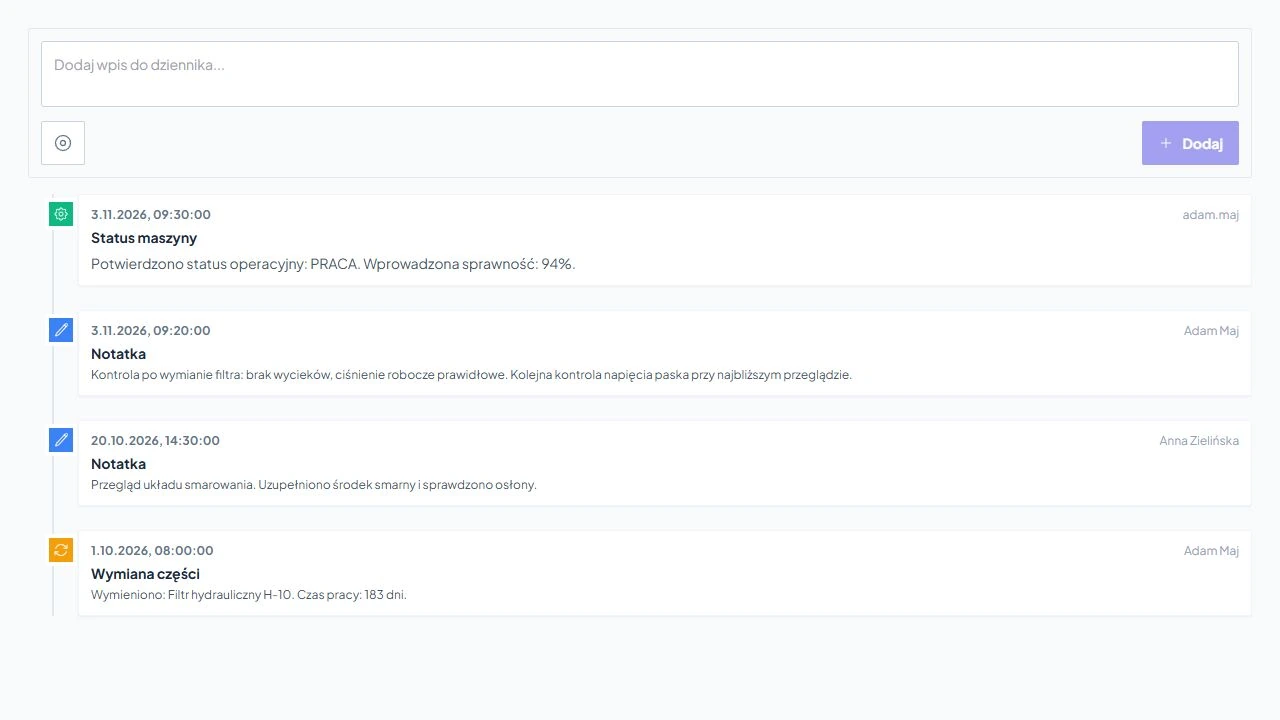
In Service-King, the inspection plan can be compared with the equipment records, machine card and activity history. W inspections and dates we show work with deadlines, and in machinery fleet - Parts, log and documentation for a specific device.
If a component is replaced during inspection, also record the part and test result after replacement. The "inspection completed" note does not replace information about the problem detected, which will be deleted on your next visit.
How to check whether the plan is working
| Measuring instrument | How to understand it |
|---|---|
| Assignments overdue | How much needs clarification or reprioritization; not only red color. |
| Completeness of documentation | Whether closed tasks have the required result and attachments. |
| Recurring faults | Does the same machine come back with a similar symptom. |
| Waiting time for part | Whether lack of material blocks the completion of the service. |
| Device availability | Whether the date could be agreed with the work of the production or team. |
Compare similar periods and device types. One common percentage for a fire extinguisher, a torque wrench, and a CNC center says little about the actual quality of service.
Checklist for organising inspections
- Remove outdated devices from your active plan without clearing their history.
- Verify the basis and frequency of each activity group.
- Assign responsibility and substitution rules.
- Determine what evidence is needed to close the task.
- Associate the result with a specific piece and the correct document.
- Check what happens after a negative result, delay and contractor absence.
The documentation method is also described in reports and workflow history. Start with several groups of equipment whose deadlines have a real impact on the team's work, and then expand the plan.
Continue on this topic