

Knowledge base · Service-King
School and university inventory: equipment, rooms, RFID
The desks stay in the rooms, the laptops travel between the studios, and the projector goes to the event. To make the list legible, you need to control locations and exceptions, not just the total amount of equipment.
Divide the site into clearly defined counting areas
Give rooms permanent tags and assign scopes to teams. One room should have a clear name in the records, even when several terms are used colloquially. During renovations and numbering changes, keep information allowing you to recognize the previous assignment.
| Group | What to pay attention to |
|---|---|
| Benches and chairs | Repeatable models, durability of markings and border between rooms. |
| Laptops and projectors | Serial numbers, personal issues and temporary transfers. |
| Technical laboratories | Metal surfaces, devices and condition of use. |
| Equipment outside the building | Check-out document and pickup person or location. |
Room names are as important as labels
"Computer room", "workroom 12" and "building B, room 12" may refer to the same place. If each list uses a different name, there will be apparent differences when the results are combined. Set a permanent room identifier and a clear name for the team. The number on the door may change during renovation, but the location history should remain understandable. Clear seat structure limits post-stocktake amendments.
Before stocktaking, check access to locked teaching labs, offices and storerooms. Agree who will provide access, the order of work and the rules for moving equipment. The team should not skip a room because a key is unavailable or count an item twice after another department moves it. This preparation underpins records of the equipment of the educational institution.
Furniture, electronics and teaching labs need different tags
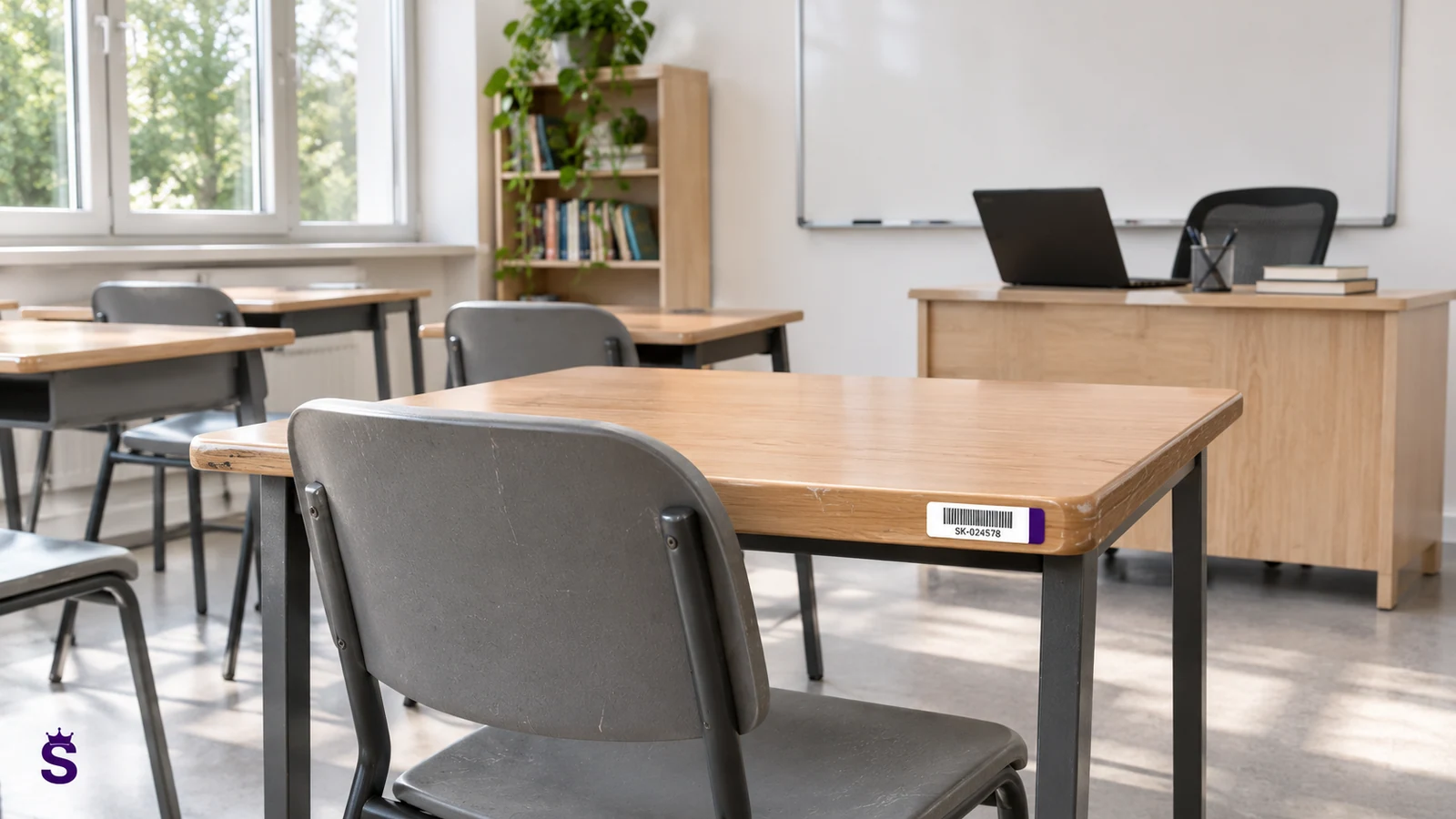
What counts on the bench is discretion, durability of the mounting and available material. A label stuck to the bottom of the countertop has different conditions than a tag on a metal frame. When using a projector or laptop, you need to take into account the housing and metal elements near the antenna. The size of the label itself does not mean that it will work on any surface. The test is performed after installation, in a furnished room.
The 45 × 18 mm format may be suitable for selected non-metal surfaces, and on-metal structures are selected for metal, e.g. 30 × 15 or 60 × 25 mm. The arrangement of furniture in rows and reading from behind the wall also need to be checked. It is worth establishing a repeatable assembly location for a given group, so that subsequent rooms are marked according to the same standard. You will choose the markings by page of RFID labels and tags.
RFID helps you count a room, but the results still need checking
Mobile UHF handheld terminal can recognize multiple tagged furniture in one pass. You don't have to look for every label under the countertop. At the border of rooms, you need to check the reading of things from the adjacent room. For metal legs or frames, an appropriate tag structure is selected.
Perform the test in a furnished room, also with the desks next to each other. The marking should not interfere with students or be easily erased during cleaning.
What to prepare for the counting teams
- List of rooms and the person providing each room.
- List of equipment loaned or issued to employees.
- Rules for temporarily moving items during the stocktake.
- How to report an illegible label and a foreign item.
- Person approving the explanation of differences.
Coordinate the selection of the inventory method and dates with the facility's accounting department. Technology improves physical inspection, but does not replace required documentation.
A full stocktake or a check of one teaching lab?
| Situation | Scope of preparation | The most important result |
|---|---|---|
| List of many buildings | Common identifiers and division of responsibilities. | Results can be combined and compared. |
| Transfer of the studio | List of specific room and equipment. | Documented condition and remarks upon transfer. |
| Renovation or relocation | List of items exported and destinations. | History of movements without creating duplicates. |
| IT equipment inspection | Items, serial numbers and assignments. | Distinguishing equipment present in a room from equipment checked out to individuals. |
The scope of ad hoc inspection and the requirements of a formal inventory should be separated. In both cases, the result should indicate what has actually been checked and what is waiting for clarification.
How to use the result after completing the stocktake
Reliable data also helps prepare rooms for events, change teaching lab supervisors and plan purchases. If equipment is available in another building, you can assess a transfer before buying more. Check-out history helps establish whether an item is absent because it is on loan, being serviced or assigned to the wrong location. A discrepancy does not necessarily mean a loss.
It is worth keeping a list of faulty markings and places where reading required additional work. Complete them before the next stocktake, not only during the next action. Evaluate the entire process: preparation, completion, reading and explanation. The tag detection counter itself does not show whether the check has been completed. The further electronics workflows is described IT equipment inventory guide.
Scenario: moving a teaching lab between buildings
Before renovation, the equipment is moved to several replacement places. If each entity starts its own list from scratch, it's hard to know when it's done which records describe the same things. Prepare a starting list with identifiers and an agreed division of target locations. The move should leave the movement history of existing units intact. The new name of the room is not a reason for adding a second laptop or projector to the register.
When packing, separate individual equipment and furniture groups according to the adopted level of detail. Determine who confirms check-out from the room and acceptance at the alternate location. A clear status is needed for items temporarily in transit, instead of assigning them to the first available room by guesswork. Also check for damage and missing accessories upon receipt, as a later inventory will not easily recreate when they occurred.
After the move, compare more than the totals. The same number of similar devices can conceal substitutions. For furniture, check its condition and tags against the agreed arrangements. Record equipment left in other teaching labs and resolve those cases before formally closing the move. This kind of pilot also tests asset records ahead of a larger stocktake: it involves real movements, several people and changing locations.
| Area | Practical arrangement |
|---|---|
| Output list | Identifiers of items leaving the workshop. |
| Alternate seats | Permanent names and recipients of equipment. |
| Transport | A way of showing things between delivery and receipt. |
| Status | Comments made during packing and receipt. |
| Return | Confirmation of the correct individual items and complete kits. |
| Open positions | Items still outside the target room. |
How to use the data after stocktaking
Corrected locations will be useful for subsequent inspections, renovations and handover of the workshop. It's worth preserving the history rather than keeping a new, disconnected sheet every year. See RFID stocktaking in Service-King and records of IT equipment in distributed work.
Questions worth clarifying before implementation
Will the handheld terminal read all the benches without walking between the rows?
That result cannot be guaranteed for every room. Read performance depends on the tags, furniture construction, layout and reader configuration. Run the trial in a typical room arrangement and separately check items that were not detected.
How to treat equipment taken by a teacher or lecturer?
It should have the correct assignment and handover documentation. If no physical read is obtained in the room, follow the agreed verification procedure rather than automatically classifying the equipment as lost.
Is it possible to start with one building?
A pilot can retain the identifiers and rules intended for the entire institution. Its results then help assess tags, data preparation and team procedures before expanding the scope.
Go to solutions related to this topic
- Educational equipment — Records of equipment in rooms, laboratories and facilities.
- RFID stocktaking — Physical inventory and comparison of the reading with the records.
- Property records - Records of company equipment and fixed assets.
- Service-King Mobile - Tasks and readings on the handheld terminal.
Free consultation
Let's plan the stocktake of your rooms and teaching labs.
Enter the number of buildings, rooms and types of equipment. We will choose the way teams work and markings appropriate for furniture and electronics.
Thank you for your inquiry.
Your message has been sent to the correct department. We will contact you to determine next steps.
Send another inquiry